
Qt 3D: Simple QML Example
A QML application that demonstrates how to render a scene in Qt 3D.
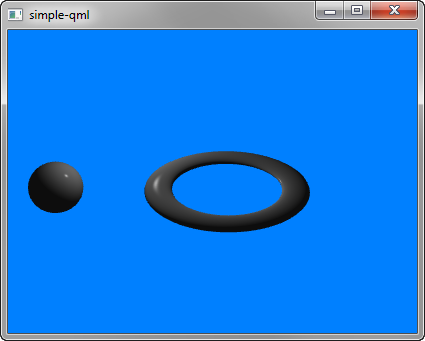
Simple demonstrates how to render a scene in Qt 3D.
Running the Example
You can run the example from:
- Qt Creator
Open the Welcome mode and select the example from Examples. For more information, see Qt Creator: Tutorial: Build and run.
- Qt Extension for Visual Studio Code
Run the Qt: Open Qt examples command from the Command Palette, and select the example from the list. For more information, see Qt Extension for Visual Studio Code: Tutorial: Build and run.
Setting Up the Scene
We set up the entire scene in the main.qml file.
To be able to use the types in the Q3D and Q3D Render modules, we must import the modules:
import Qt3D.Core 2.0
import Qt3D.Render 2.0
The first entities we create are a Camera, which represents the camera used for the final rendering, and a camera controller, which allows us to control this camera using the keyboard or the mouse:
Camera {
    id: camera
    projectionType: CameraLens.PerspectiveProjection
    fieldOfView: 45
    aspectRatio: 16/9
    nearPlane : 0.1
    farPlane : 1000.0
    position: Qt.vector3d( 0.0, 0.0, -40.0 )
    upVector: Qt.vector3d( 0.0, 1.0, 0.0 )
    viewCenter: Qt.vector3d( 0.0, 0.0, 0.0 )
}
A RenderSettings entity specifies a ForwardRenderer as the active framegraph:
components: [
    RenderSettings {
        activeFrameGraph: ForwardRenderer {
            clearColor: Qt.rgba(0, 0.5, 1, 1)
            camera: camera
            showDebugOverlay: true
        }
    },
    // Event Source will be set by the Qt3DQuickWindow
    InputSettings { }
]
The event source is set by the Qt3DQuickWindow:
InputSettings { }© 2026 The Qt Company Ltd. Documentation contributions included herein are the copyrights of their respective owners. The documentation provided herein is licensed under the terms of the GNU Free Documentation License version 1.3 as published by the Free Software Foundation. Qt and respective logos are trademarks of The Qt Company Ltd. in Finland and/or other countries worldwide. All other trademarks are property of their respective owners.
