
Use workspaces
Qt Quick Designer provides a flexible UI, allowing you to arrange views freely and save your setups as workspaces. You can also use one of the predefined workspaces.
To change the current workspace, go to View > Workspaces.
Move views in a workspace
To move a view to a different location in the workspace, drag it from the title bar to its new position. You can either dock the view in a dock area or detach the view from a dock area.
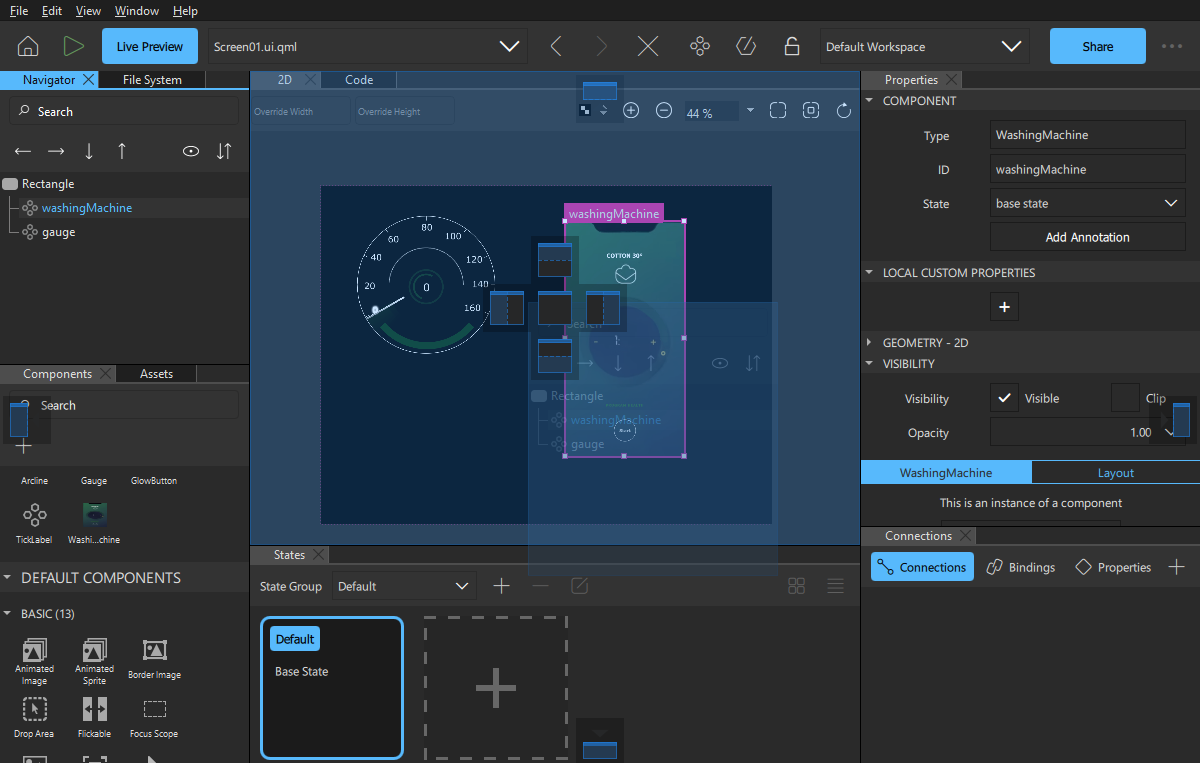
Note: You can also move view groups.
To close a group of views, right-click the group top bar and select Close Group. To close all other groups, select Close Other Groups.
To detach a group of views, right-click the group top bar and select Detach Group.
To open closed views, select View > Views.
Note: To lock all views, go to View > Workspaces and select Lock Workspaces.
Manage workspaces
To manage your workspaces, open Workspace Manager from View > Workspaces > Manage.
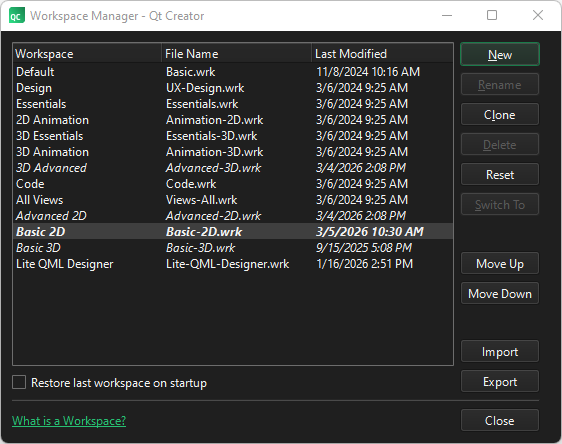
In Workspace Manager, you can create, rename, clone, delete, reset, import, and export workspaces, as well as move them up and down in the list.
Restore a workspace on startup
The changes you make to a workspace are saved when you close Qt Creator. In Workspace Manager, select Restore last workspace on startup to restore the current workspace the next time you start Qt Creator.
Create a custom workspace
To save a workspace as a custom workspace after making changes in the workspace:
- Go to View > Workspaces > Manage to open Workspace Manager.
- Select New.
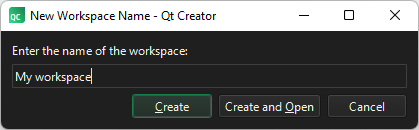
- Enter a name for the workspace.
- Select Create to create a new empty workspace or Create and Open to create a workspace and switch to it.
See also How to: Design Qt Quick UIs, Qt Quick UI design, and Designing Qt Quick UIs.
Copyright © The Qt Company Ltd. and other contributors. Documentation contributions included herein are the copyrights of their respective owners. The documentation provided herein is licensed under the terms of the GNU Free Documentation License version 1.3 as published by the Free Software Foundation. Qt and respective logos are trademarks of The Qt Company Ltd in Finland and/or other countries worldwide. All other trademarks are property of their respective owners.
