
QCanvasPath Class
QCanvasPath is the native path format of QCanvasPainter. More...
| Header: | #include <QCanvasPath> |
| CMake: | find_package(Qt6 REQUIRED COMPONENTS CanvasPainter)target_link_libraries(mytarget PRIVATE Qt6::CanvasPainter) |
| Since: | Qt 6.11 |
Public Functions
| QCanvasPath() | |
| QCanvasPath(qsizetype commandsSize, qsizetype commandsDataSize = -1) | |
| QCanvasPath(const QCanvasPath &path) | |
| QCanvasPath(QCanvasPath &&other) | |
| ~QCanvasPath() | |
(since 6.12) void | addPath(QStringView svgPath, const QTransform &transform = QTransform()) |
| void | addPath(const QCanvasPath &path, const QTransform &transform = QTransform()) |
| void | addPath(const QCanvasPath &path, qsizetype start, qsizetype count, const QTransform &transform = QTransform()) |
| void | arc(qreal centerX, qreal centerY, qreal radius, qreal a0, qreal a1, QCanvasPainter::PathWinding direction = QCanvasPainter::PathWinding::ClockWise, QCanvasPainter::PathConnection connection = QCanvasPainter::PathConnection::Connected) |
| void | arc(QPointF centerPoint, qreal radius, qreal a0, qreal a1, QCanvasPainter::PathWinding direction = QCanvasPainter::PathWinding::ClockWise, QCanvasPainter::PathConnection connection = QCanvasPainter::PathConnection::Connected) |
| void | arcTo(qreal x1, qreal y1, qreal x2, qreal y2, qreal radius) |
| void | arcTo(QPointF point1, QPointF point2, qreal radius) |
| void | beginHoleSubPath() |
| void | beginSolidSubPath() |
| void | bezierCurveTo(qreal cp1X, qreal cp1Y, qreal cp2X, qreal cp2Y, qreal x, qreal y) |
| void | bezierCurveTo(QPointF controlPoint1, QPointF controlPoint2, QPointF endPoint) |
| void | circle(qreal x, qreal y, qreal radius) |
| void | circle(QPointF centerPoint, qreal radius) |
| void | clear() |
| void | closePath() |
| qsizetype | commandsCapacity() const |
| qsizetype | commandsDataCapacity() const |
| qsizetype | commandsDataSize() const |
| qsizetype | commandsSize() const |
| QPointF | currentPosition() const |
| void | ellipse(qreal x, qreal y, qreal radiusX, qreal radiusY) |
| void | ellipse(const QRectF &rect) |
| bool | isEmpty() const |
| void | lineTo(QPointF point) |
| void | lineTo(qreal x, qreal y) |
| void | moveTo(QPointF point) |
| void | moveTo(qreal x, qreal y) |
| QPointF | positionAt(qsizetype index) const |
| void | quadraticCurveTo(qreal cpX, qreal cpY, qreal x, qreal y) |
| void | quadraticCurveTo(QPointF controlPoint, QPointF endPoint) |
| void | rect(qreal x, qreal y, qreal width, qreal height) |
| void | rect(const QRectF &rect) |
| void | reserve(qsizetype commandsSize, qsizetype commandsDataSize = -1) |
| void | roundRect(qreal x, qreal y, qreal width, qreal height, qreal radius) |
| void | roundRect(qreal x, qreal y, qreal width, qreal height, qreal radiusTopLeft, qreal radiusTopRight, qreal radiusBottomRight, qreal radiusBottomLeft) |
| void | roundRect(const QRectF &rect, qreal radius) |
| void | roundRect(const QRectF &rect, qreal radiusTopLeft, qreal radiusTopRight, qreal radiusBottomRight, qreal radiusBottomLeft) |
| void | setPathWinding(QCanvasPainter::PathWinding winding) |
| QCanvasPath | sliced(qsizetype start, qsizetype count, const QTransform &transform = QTransform()) const |
| void | squeeze() |
| void | swap(QCanvasPath &other) |
| operator QVariant() const | |
| QCanvasPath & | operator=(QCanvasPath &&other) |
| QCanvasPath & | operator=(const QCanvasPath &path) |
Related Non-Members
| bool | operator!=(const QCanvasPath &lhs, const QCanvasPath &rhs) |
| bool | operator==(const QCanvasPath &lhs, const QCanvasPath &rhs) |
Detailed Description
A painter path is an object composed of a number of graphical building blocks, such as rectangles, ellipses, lines, and curves. QCanvasPath API matches to QCanvasPainter path painting, making it easy to adjust code between painting directly or painting into a path. The main reason use QCanvasPath is to avoid recreating paths that are static and used in every frame of the rendering, and to possibly enable the caching of the path-related rendering data (such, as the vertex and index data generated from it), instead of regenerating it every time the path is filled or stroked.
Compared to QPainterPath, QCanvasPath is more optimized for rendering with fewer features for comparing or adjusting the paths. In particular:
- There are no methods for intersection or subtraction between two paths.
- There is no method for translating the path.
- There is no method for adding text.
From a functionality point of view, QCanvasPath is more similar to HTML Canvas Path2D, with some additions and the API matching to QCanvasPainter.
Path Groups and Caching
Painting paths through QCanvasPath allows the engine to cache the path geometry (vertices). This improves the performance of static paths, while potentially increasing CPU and GPU memory consumption.
When painting paths using fill() or stroke() that take QCanvasPath as a parameter, it is possible to set a pathGroup as a second parameter.
By default, pathGroup is -1, which means that the path data will not be attempted to be cached, and so rendering happens mostly identically to when doing direct painting using beginPath(), followed by path definition commands, and finally a fill or stroke.
Setting pathGroup to a value of 0 or any higher number will enable the caching and reuse of the path's generated geometry. Arranging paths into path groups allows efficient optimization of the rendering performance and memory usage. Paths that belong together and often change at the same time should be in the same group for optimal results.
When the path changes, its data, even if it was cached, is automatically updated. Things that cause a geometry update of the path group are:
- Clearing the path elements or adding new elements.
- Changing the stroke line width (QCanvasPainter::setLineWidth(), relevant for strokes).
- Adjusting antialiasing amount (QCanvasPainter::setAntialias(), relevant both for fills and strokes).
- Changing line cap or line join type (QCanvasPainter::setLineCap(), QCanvasPainter::setLineJoin(), relevant for strokes).
- Changing winding enforce (relevant both for fills and strokes).
- Changing high quality stroking (relevant both for fills and strokes).
Note that changing the state transform (QCanvasPainter::transform(), QCanvasPainter::rotate() etc.) does not invalidate the path, so moving/scaling/rotating a cached path is very efficient.
As an example, consider a QCanvasPath p with a very large number of commands in it. Stroking or filling this path p can be an expensive operation due to the amount of work performed on the CPU side. The vertex data may be regenerated and uploaded into GPU buffers for each of those stroke or fill operation, in every frame. That is not ideal when the path is static and all we want is to draw it again and again in every frame as efficiently as possible.
When a path group is specifed, for example replacing stroke(p) with stroke(p, 5), then the renderer has the option to maintain dedicated vertex and index buffers for path p, and any other path that has the same group (5) specified in a stroke or fill command.
Assuming that path p (the commands in the QCanvasPath) do not change, repeatedly filling or stroking this path will become a cheap operation, because all data is already there in the GPU buffers dedicated to path group 5. Transforming is also cheap, since with cached path groups transformations happen in the vertex shader, not on the geometry itself.
In the following code snippet, when m_path is complex enough, its commands do not change, and it is stroked with the same stroke width, antialiasing amount, etc. in every frame, then the following can be significantly more efficient than not using path groups:
// m_path is QCanvasPath with lots of commands in it
const int pathGroup = 5;

// in every frame:
  painter->stroke(m_path, pathGroup);
  // ... other draw commands
  painter->translate(100, 0);
  painter->stroke(m_path, pathGroup);
  // ... other draw commands
When stroking m_path the second, third, and later times, the rendering will be very cheap compared to not using path groups, because no path geometry processing will need to happen on the CPU side. Changing the transform by applying a translation does not invalidate the cached path group data, hence the translated stroke() call is just as fast.
What happens if one of the relevant states listed above change? For example, if the path is drawn with two different stroke widths:
// m_path is QCanvasPath with lots of commands in it
const int pathGroup = 5;

// in every frame:
  painter->setStrokeWidth(4);
  painter->stroke(m_path, pathGroup);
  // ... other draw commands
  painter->translate(100, 0);
  painter->setStrokeWidth(8);
  painter->stroke(m_path, pathGroup);
  // ... other draw commands
This is still very efficient, since the path vertex data will be cached and reused for both stroke width 4 and 8, but the resource usage will increase slightly, since the GPU buffer for path group 5 will now contain both the stroke width 4 and 8 version of the path geometry.
One way to think of path groups is a caching mechanism where the path group value is treated as the first level cache key, while the QCanvasPath object, the antialiasing amount, the render hints, and, in case of stroking, the stroke width, line cap, and line join form the second level cache key (within the path group).
Changing the path commands (the elements in the QCanvasPath) is always expensive, because that will always lead to rebuilding the associated data on the CPU and GPU side. As a somewhat extreme example, if a QCanvasPath changes its commands in every frame, then there is no point in using path groups (and QCanvasPath, even) for that particular path, as there are no benefits compared to direct path drawing via QCanvasPainter functions.
In cases where the path group will not be used anymore in drawing, or the application wants to free up memory as much as possible, the cache can be released by calling QCanvasPainter::removePathGroup(). This isn't usually needed, as the cached paths are automatically released during the painter destructor.
See also QCanvasPainter::addPath() and QCanvasPainter::removePathGroup().
Member Function Documentation
QCanvasPath::QCanvasPath()
Constructs an empty path.
[explicit] QCanvasPath::QCanvasPath(qsizetype commandsSize, qsizetype commandsDataSize = -1)
Constructs an empty path, allocating space for commandsSize amount of commands and optionally commandsDataSize amount of data. If commandsDataSize parameter is not given, space is automatically reserved for 2 * commandsSize amount of data, which is optimal amount when the path commands are straight lines (moveTo(), lineTo(), rect()).
Reserving correct space is an optimization for path creation and memory usage. It isn't mandatory as sufficient space will automatically be ensured while adding commands to the path.
See also reserve().
QCanvasPath::QCanvasPath(const QCanvasPath &path)
Constructs a path that is a copy of the given path.
[noexcept] QCanvasPath::QCanvasPath(QCanvasPath &&other)
Move-constructs a new QCanvasPath from other.
[noexcept] QCanvasPath::~QCanvasPath()
Destroys the path.
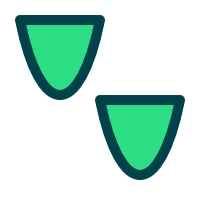
[since 6.12] void QCanvasPath::addPath(QStringView svgPath, const QTransform &transform = QTransform())
Adds svgPath into this path, optionally using transform to alter the path points. If the estimated size of the path is known, consider calling reserve() before this.
 | |
See W3C SVG Path Data for more details on this format.
This function was introduced in Qt 6.12.
void QCanvasPath::addPath(const QCanvasPath &path, const QTransform &transform = QTransform())
Adds path into this path, optionally using transform to alter the path points. When transform is not provided (or it is identity matrix), this operation is very fast as it reuses the path data.
void QCanvasPath::addPath(const QCanvasPath &path, qsizetype start, qsizetype count, const QTransform &transform = QTransform())
Adds path into the current path, starting from the command at start and including count amount of commands. Optionally using transform to alter the path points. The range of start and count is checked, so that commands are not accessed more than QCanvasPath::commandsSize(). In case the path shouldn't continue from the current path position, call first moveTo() with path.positionAt(start - 1).
void QCanvasPath::arc(qreal centerX, qreal centerY, qreal radius, qreal a0, qreal a1, QCanvasPainter::PathWinding direction = QCanvasPainter::PathWinding::ClockWise, QCanvasPainter::PathConnection connection = QCanvasPainter::PathConnection::Connected)
Creates an arc centered on QPointF(centerX, centerY) with the given radius, starting at an angle of a0 radians and ending at a1 radians. The arc spans the given direction. When connection is NotConnected, the previous path is closed and a new sub-path is started.
void QCanvasPath::arc(QPointF centerPoint, qreal radius, qreal a0, qreal a1, QCanvasPainter::PathWinding direction = QCanvasPainter::PathWinding::ClockWise, QCanvasPainter::PathConnection connection = QCanvasPainter::PathConnection::Connected)
Creates an arc centered on centerPoint with the given radius, starting at an angle of a0 radians and ending at a1 radians. The arc spans the given direction. When connection is NotConnected, the previous path is closed and a new sub-path is started.
This is an overloaded function.
void QCanvasPath::arcTo(qreal x1, qreal y1, qreal x2, qreal y2, qreal radius)
Creates an arc using the points QPointF(x1, y1) and QPointF(x2, y2) with the given radius.
void QCanvasPath::arcTo(QPointF point1, QPointF point2, qreal radius)
Creates an arc using the points point1 and point2 with the given radius.
This is an overloaded function.
void QCanvasPath::beginHoleSubPath()
Start a hole subpath. This is equivalent to setPathWinding(QCanvasPainter::PathWinding::ClockWise))
See also beginSolidSubPath().
void QCanvasPath::beginSolidSubPath()
Start a solid subpath. This is equivalent to setPathWinding(QCanvasPainter::PathWinding::CounterClockWise))
See also beginHoleSubPath().
void QCanvasPath::bezierCurveTo(qreal cp1X, qreal cp1Y, qreal cp2X, qreal cp2Y, qreal x, qreal y)
Adds a cubic Bezier curve between the current position and the end point specified by x and y, using the control points specified by cp1X, cp1Y, cp2X, and cp2Y.
After the curve is added, the current position is updated to be at the end point of the curve.
void QCanvasPath::bezierCurveTo(QPointF controlPoint1, QPointF controlPoint2, QPointF endPoint)
Adds a cubic Bezier curve between the current position and the given endPoint using the control points specified by controlPoint1, and controlPoint2.
After the curve is added, the current position is updated to be at the end point of the curve.
This is an overloaded function.
void QCanvasPath::circle(qreal x, qreal y, qreal radius)
Adds a circle with center at QPointF(x, y) and the given radius to the path.
void QCanvasPath::circle(QPointF centerPoint, qreal radius)
Adds a circle with center at centerPoint and the given radius to the path.
This is an overloaded function.
void QCanvasPath::clear()
Clears the path commands and data.
Call this when the path commands change to recreate the path. This does not affect the memory usage, use reserve() and squeeze() for that.
See also reserve() and squeeze().
void QCanvasPath::closePath()
Closes the current subpath by drawing a line to the beginning of the subpath, automatically starting a new path.
qsizetype QCanvasPath::commandsCapacity() const
Returns the capacity of commands in the path.
See also commandsDataCapacity() and reserve().
qsizetype QCanvasPath::commandsDataCapacity() const
Returns the capacity of commands data in the path.
See also commandsCapacity() and reserve().
qsizetype QCanvasPath::commandsDataSize() const
Returns the amount of commands data in the path.
Commands data basically means the points required by the commands.
Note: Some path elements require several data points. For example closePath requires 0, moveTo and lineTo require 2, bezierCurveTo requires 6 and roundRect requires 34 data points.
qsizetype QCanvasPath::commandsSize() const
Returns the amount of commands in the path.
Note: Some path elements require several commands. For example moveTo and lineTo require 1 command, bezierCurveTo requires 6 commands and roundRect 10 commands.
QPointF QCanvasPath::currentPosition() const
Returns the current position of the path. This means position where previous path command (moveTo, lineTo, bezierCurveTo etc.) has ended. When the path is empty, returns (0.0, 0.0).
void QCanvasPath::ellipse(qreal x, qreal y, qreal radiusX, qreal radiusY)
Creates an ellipse centered at (x, y), with radii defined by radiusX, radiusY and adds it to the path as a closed subpath.
void QCanvasPath::ellipse(const QRectF &rect)
Creates an ellipse within the rectangle rect and adds it to the path as a closed subpath.
This is an overloaded function.
bool QCanvasPath::isEmpty() const
Returns true when the path is empty.
See also clear.
void QCanvasPath::lineTo(QPointF point)
Adds a straight line from the current position to the given point. After the line is drawn, the current position is updated to be at the end point of the line.
This is an overloaded function.
void QCanvasPath::lineTo(qreal x, qreal y)
Draws a line from the current position to the point (x, y).
This is an overloaded function.
void QCanvasPath::moveTo(QPointF point)
Moves the current point to the given point, implicitly starting a new subpath and closing the previous one.
This is an overloaded function.
void QCanvasPath::moveTo(qreal x, qreal y)
Moves the current position to (x, y) and starts a new subpath, implicitly closing the previous path.
This is an overloaded function.
QPointF QCanvasPath::positionAt(qsizetype index) const
Returns the position of the path at index. This means position where path command (moveTo, lineTo, bezierCurveTo etc.) is at index. The index need to be between 0 and commandsSize() - 1. When the path is empty, returns (0.0, 0.0).
void QCanvasPath::quadraticCurveTo(qreal cpX, qreal cpY, qreal x, qreal y)
Adds a quadratic Bezier curve between the current point and the endpoint (x, y) with the control point specified by (cpX, cpY).
void QCanvasPath::quadraticCurveTo(QPointF controlPoint, QPointF endPoint)
Adds a quadratic Bezier curve between the current position and the given endPoint with the control point specified by controlPoint.
This is an overloaded function.
void QCanvasPath::rect(qreal x, qreal y, qreal width, qreal height)
Creates a rectangle positioned at QPointF(x, y) with the given width and height.
void QCanvasPath::rect(const QRectF &rect)
Creates a rectangle specified by rect
This is an overloaded function.
void QCanvasPath::reserve(qsizetype commandsSize, qsizetype commandsDataSize = -1)
Reserves a given amounts of space in QCanvasPath's internal memory.
Attempts to allocate memory for at least commandsSize commands and commandsDataSize data points. Some path elements require multiple commands, see commandsSize() and commandsDataSize().
If commandsDataSize is not specified, then space is automatically reserved for 2 * commandsSize amount of data, which is the optimal amount when the path commands are straight lines (moveTo(), lineTo(), rect()).
Reserving correct space is an optimization for path creation and memory usage. It isn't mandatory as sufficient space will automatically be ensured while adding commands into the path.
See also squeeze(), commandsCapacity(), and commandsDataCapacity().
void QCanvasPath::roundRect(qreal x, qreal y, qreal width, qreal height, qreal radius)
Adds the given rectangle x, y, width, height with rounded corners to the path. The corners are quarter circles with the given radius.
void QCanvasPath::roundRect(qreal x, qreal y, qreal width, qreal height, qreal radiusTopLeft, qreal radiusTopRight, qreal radiusBottomRight, qreal radiusBottomLeft)
Adds the rectangle x, y, width, height with rounded corners to the path. The corners are quarter circles with radius radiusTopLeft, radiusTopRight radiusBottomRight and radiusBottomLeft, respectively.
void QCanvasPath::roundRect(const QRectF &rect, qreal radius)
Adds the given rectangle rect with rounded corners to the path. The corners are quarter circles with the given radius.
This is an overloaded function.
void QCanvasPath::roundRect(const QRectF &rect, qreal radiusTopLeft, qreal radiusTopRight, qreal radiusBottomRight, qreal radiusBottomLeft)
Adds the rectangle rect with rounded corners to the path. The corners are quarter circles with radius radiusTopLeft, radiusTopRight radiusBottomRight and radiusBottomLeft, respectively.
This is an overloaded function.
void QCanvasPath::setPathWinding(QCanvasPainter::PathWinding winding)
Sets the current sub-path winding to either QCanvasPainter::CounterClockWise (default) or QCanvasPainter::ClockWise. CounterClockWise draws solid subpaths while ClockWise draws holes.
Note: This is a command, similar to lineTo, moveTo, etc., and therefore setting the winding should be done before the rest of the commands to which the changed winding is meant to be applied to.
QCanvasPath QCanvasPath::sliced(qsizetype start, qsizetype count, const QTransform &transform = QTransform()) const
Returns a new path containing the commands from this path, starting from the command at start and including count amount of commands, optionally using transform to alter the path points.
The range of start and count is checked, so that commands are not accessed more than commandsSize(). In case the command at start is not MoveTo, the first command will be replaced with MoveTo so that this slice is an individual path.
void QCanvasPath::squeeze()
Releases any memory not required to store the path commands and data. This can be used to reduce the memory usage after calling the reserve().
Normally this is not needed to be used, but it can be useful when the path size has been big due to reserving or adding many elements (lineTo, bezierCurveTo etc.) and then size is expected to be much smaller in future so calling first reserve() and then squeeze(), will release some memory.
See also reserve().
[noexcept] void QCanvasPath::swap(QCanvasPath &other)
Swaps this path with other. This operation is very fast and never fails.
QCanvasPath::operator QVariant() const
Returns the path as a QVariant.
[noexcept] QCanvasPath &QCanvasPath::operator=(QCanvasPath &&other)
Move-assigns other to this QCanvasPath instance.
QCanvasPath &QCanvasPath::operator=(const QCanvasPath &path)
Assigns the given path to this path and returns a reference to this path.
Related Non-Members
[noexcept] bool operator!=(const QCanvasPath &lhs, const QCanvasPath &rhs)
Returns true if the path lhs is different from rhs; false otherwise.
See also operator==().
[noexcept] bool operator==(const QCanvasPath &lhs, const QCanvasPath &rhs)
Returns true if the path lhs is equal to rhs; false otherwise.
See also operator!=().
© 2026 The Qt Company Ltd. Documentation contributions included herein are the copyrights of their respective owners. The documentation provided herein is licensed under the terms of the GNU Free Documentation License version 1.3 as published by the Free Software Foundation. Qt and respective logos are trademarks of The Qt Company Ltd. in Finland and/or other countries worldwide. All other trademarks are property of their respective owners.
