
qtlottieviewer Example
Demonstrating display and control of a Lottie animation with Qt Quick.
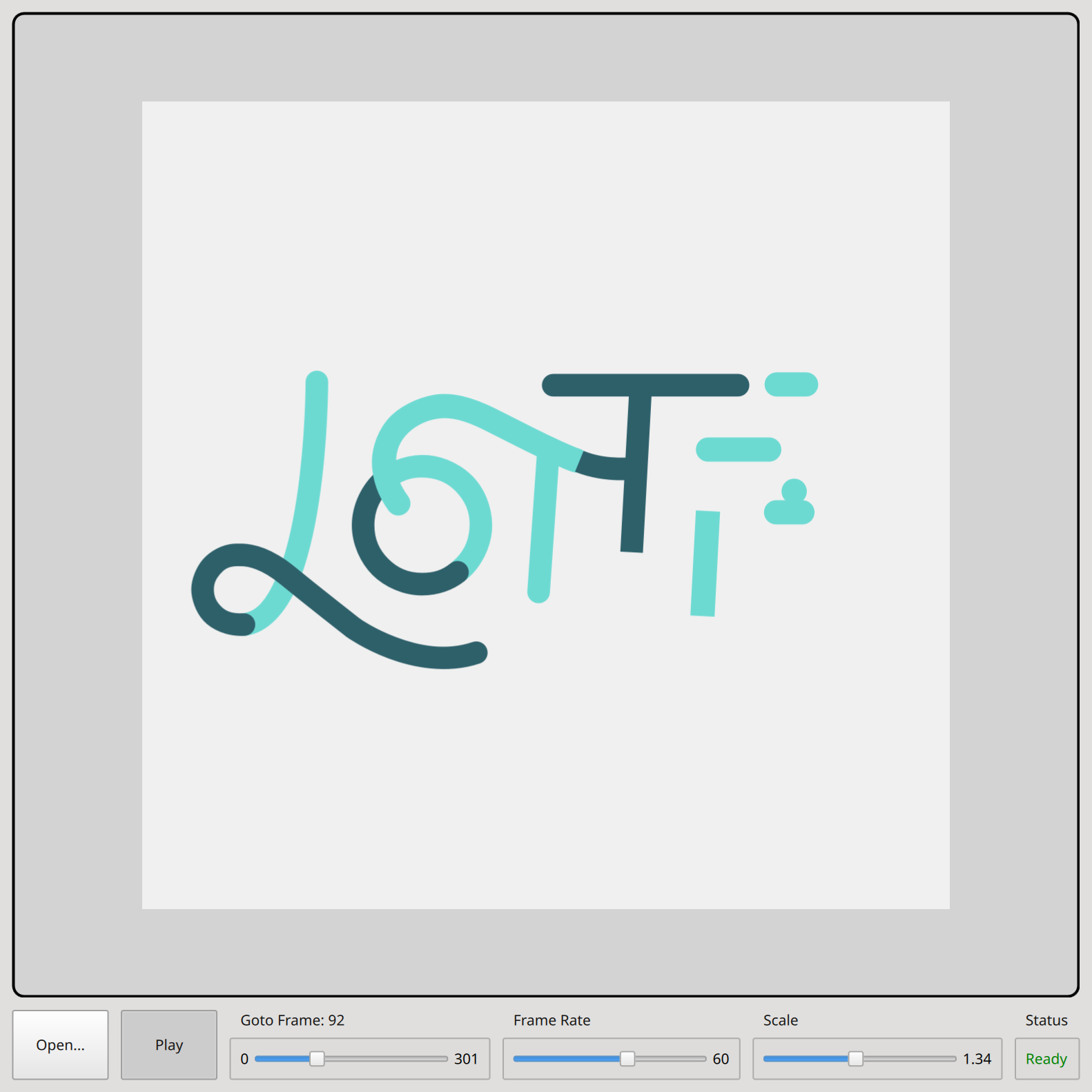
This example demonstrates how to use the Qt.labs.lottieqt module to directly display and control a Lottie animated vector graphics file in a Qt Quick application.
Two different approaches are shown:
- Using VectorImage with LottieVectorImageController
- Using LottieAnimation
Overview
At the top of the example Window is a tab bar that allows switching between the VectorImage and the LottieAnimation players. The main part of the window is a Rectangle containing the selected Lottie file player, displaying a Lottie animation.
Below this is a row controls. The user can control the animation speed with the Frame Rate slider, and zoom in and out using the Scale slider. The animation can be stopped and restarted using the Play/Pause button. When paused, the user can select the exact frame to be displayed using the Goto Frame slider. The Open button will display a file dialog, allowing the user to select a Lottie file to load and display.
LottieAnimation is a QQuickPaintedItem, employing software rasterization of the vector graphics. VectorImage translates the vector graphics file to a QML component that utilizes the Qt Quick Shapes module, which employs hardware GPU rendering.
See also lottietoqml.
© 2026 The Qt Company Ltd. Documentation contributions included herein are the copyrights of their respective owners. The documentation provided herein is licensed under the terms of the GNU Free Documentation License version 1.3 as published by the Free Software Foundation. Qt and respective logos are trademarks of The Qt Company Ltd. in Finland and/or other countries worldwide. All other trademarks are property of their respective owners.
