
Subversion
Subversion is an open source version control system.
Note: Enable the Subversion plugin to use it.
In addition to the standard version control system functions described in Use common VCS functions, you can go to Tools > Subversion and select Describe to display commit log messages for a revision.
You can use Git as a client for a Subversion server. For more information, see Use Git with Subversion.
Subversion preferences
To set Subversion preferences, go to Preferences > Version Control > Subversion.
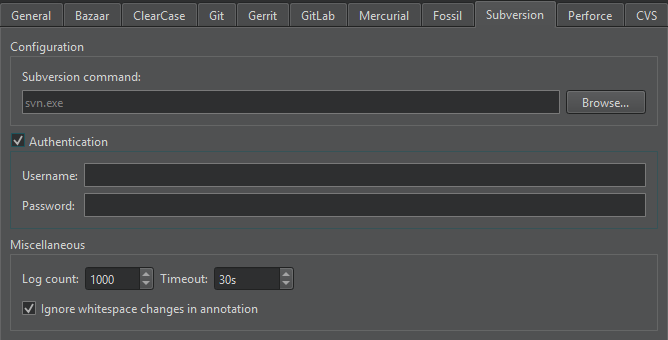
| Preference | Description |
|---|---|
| Subversion command | Specifies the path to the command line client executable. |
| Username | Specify the username to access the repository if the server requires Authentication. |
| Password | Specify the password to access the repository if the server requires Authentication. |
| Log count | Sets the maximum number of lines the log can have. |
| Timeout | Sets a timeout for version control operations. |
| Ignore whitespace changes in annotation | Hides whitespace changes in annotation views. |
See also Enable and disable plugins, Set up version control systems, Use common VCS functions, and Version control systems.
Copyright © The Qt Company Ltd. and other contributors. Documentation contributions included herein are the copyrights of their respective owners. The documentation provided herein is licensed under the terms of the GNU Free Documentation License version 1.3 as published by the Free Software Foundation. Qt and respective logos are trademarks of The Qt Company Ltd in Finland and/or other countries worldwide. All other trademarks are property of their respective owners.
