
Add assets
Assets displays the images and other files that you add to the project folder by dragging external asset files to Qt Quick Designer or by selecting  .
.
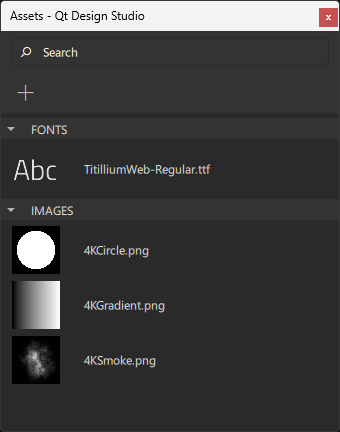
To add assets to your UI, drag them from Assets to the Navigator or 2D view.
To add multiple assets to your UI simultaneously, multiselect them first by holding Ctrl and clicking the asset files you wish to select.
When you drag assets from Assets to the Navigator or 2D view, component instances with a suitable type are automatically created for you. For example, instances of the Image component will be created for graphics files.
See also How to: Design Qt Quick UIs, Qt Quick UI design, and Designing Qt Quick UIs.
Copyright © The Qt Company Ltd. and other contributors. Documentation contributions included herein are the copyrights of their respective owners. The documentation provided herein is licensed under the terms of the GNU Free Documentation License version 1.3 as published by the Free Software Foundation. Qt and respective logos are trademarks of The Qt Company Ltd in Finland and/or other countries worldwide. All other trademarks are property of their respective owners.
