Qt for Embedded Linux Fonts
Qt normally uses fontconfig to provide access to system fonts. If fontconfig is not available, for example, in dedicated embedded systems where space is at a premium, Qt will fall back to using QBasicFontDatabase. In this case, Qt applications will look for fonts in Qt’s lib/fonts/ directory. Qt will automatically detect prerendered fonts and TrueType fonts.
Qt uses the FreeType 2 font engine to produce font output. The formats supported depends on the locally installed version of the FreeType library.
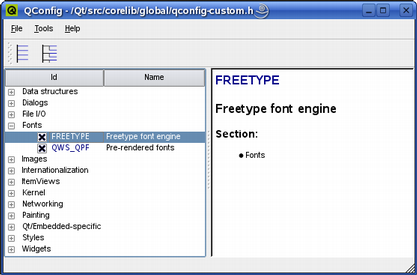
All supported fonts use the Unicode character encoding. Most fonts available today do, but they usually don’t contain all the Unicode characters. A complete 16-point Unicode font uses over 1 MB of memory.
FreeType Formats
The FreeType 2 library can support the following font formats:
TrueType (TTF)
PostScript Type1 (PFA/PFB)
Bitmap Distribution Format (BDF)
CID-keyed Type1
Compact Font Format (CFF)
OpenType fonts
SFNT-based bitmap fonts
Portable Compiled Format (PCF)
Microsoft Windows Font File Format (Windows FNT)
Portable Font Resource (PFR)
Type 42 (limited support)
It is possible to add modules to the FreeType 2 font engine to support other types of font files. For more information, see the font engine’s own website: `https://freetype.sourceforge.net/freetype2/index.html`_ .
Glyphs rendered using FreeType are shared efficiently between applications, reducing memory requirements and speeding up text rendering.