
Test code changes
You can make temporary changes to the QML code in the live preview and apply them to see them rendered on the canvas. For example, you can change colors, fonts, and component size or position.
Testing code changes in the live preview.
To test code changes in the live preview:
- Select Log in to log into your Qt Account.
- Change property values in the code.
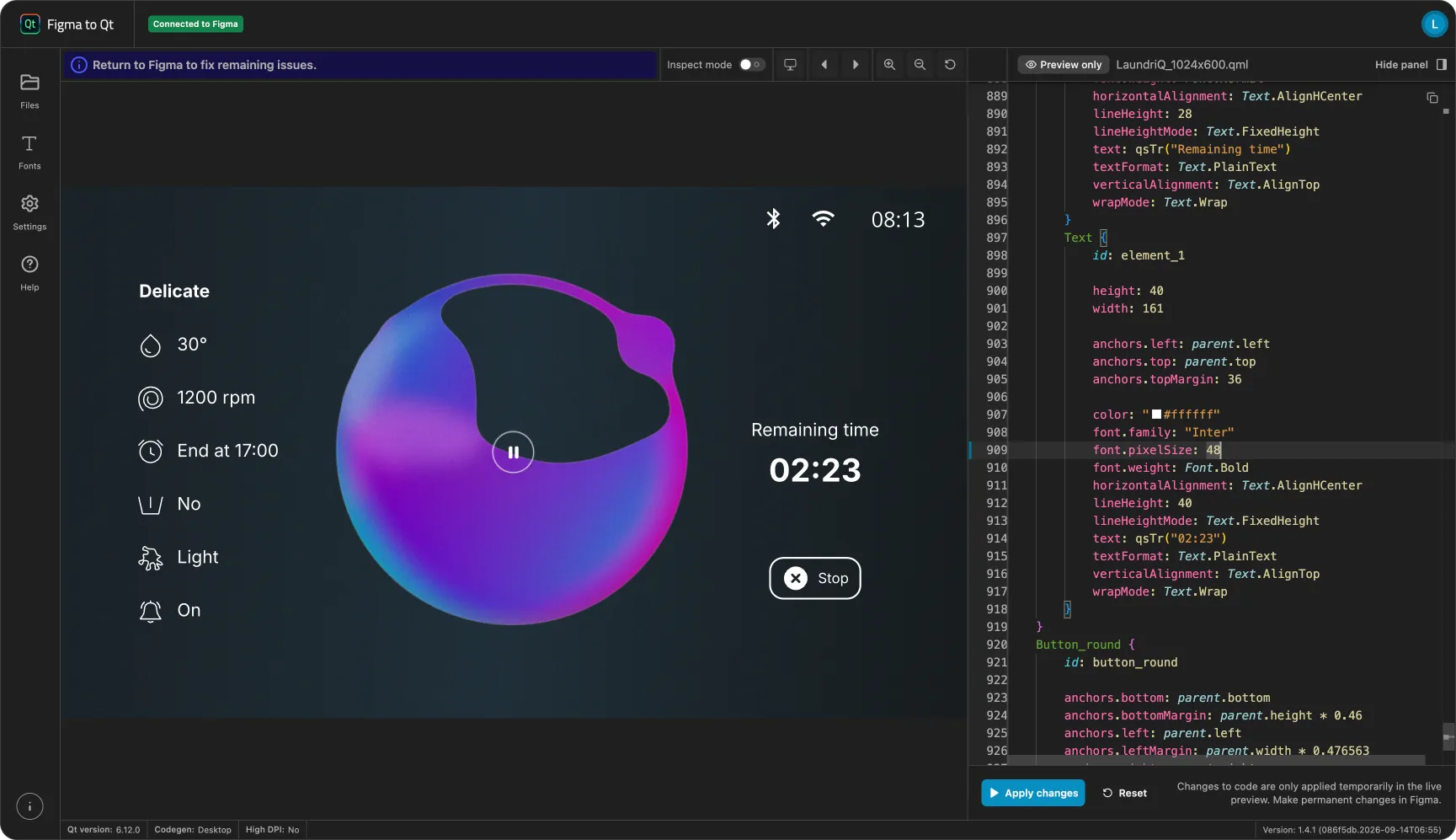
Testing code changes in the live preview.
- Select Apply changes to render them on the canvas.
If the changes break the code, the live preview shows error messages.
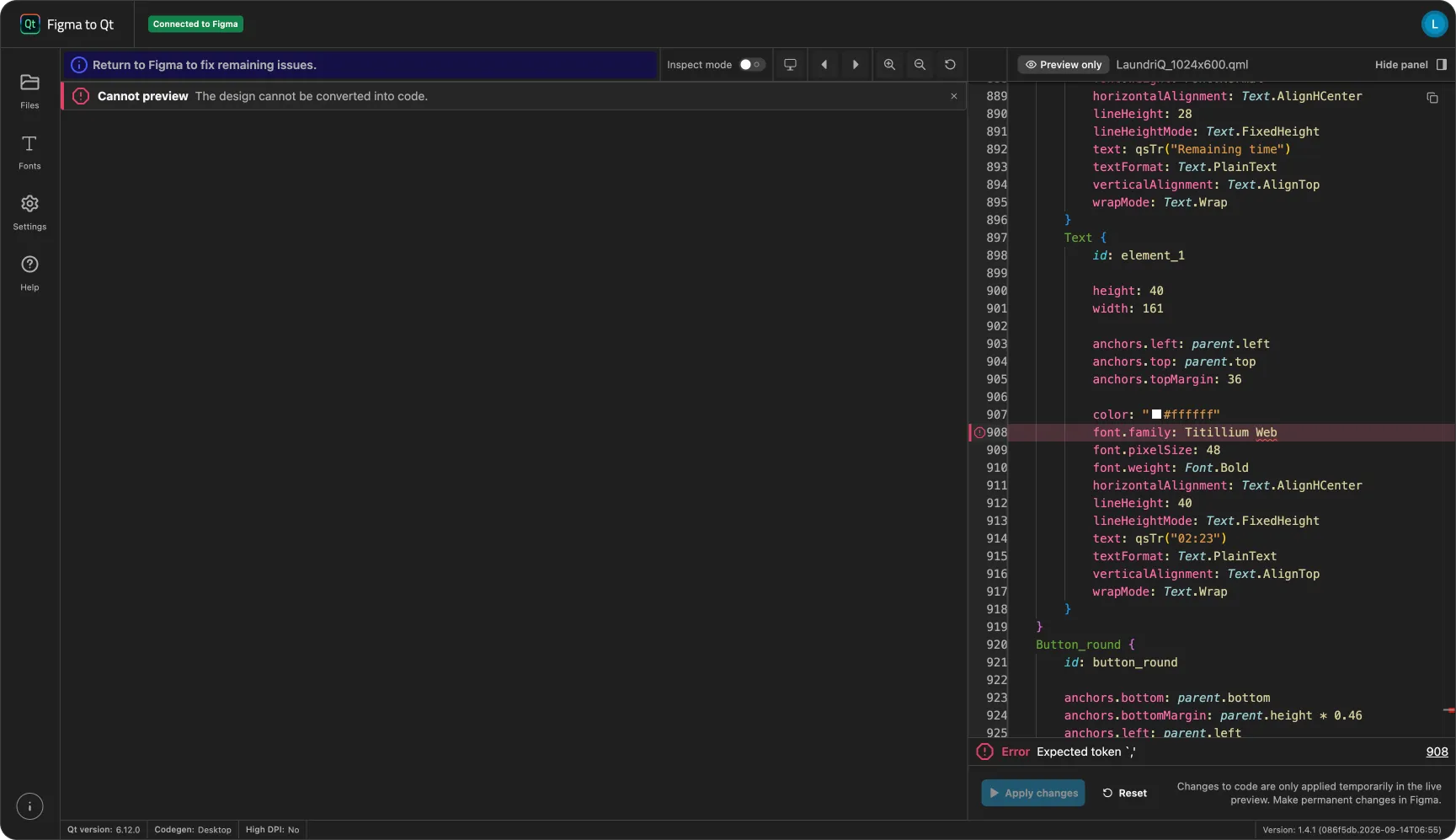
Code error in the live preview.
Reset changes
The plugin overwrites the changes when you sync with Figma, so to keep them, you need to make them in the design in Figma.
To reset the changes in the live preview, select  (Reset).
See also Preview converted designs and Pan and zoom.
© 2026 The Qt Company Ltd. Documentation contributions included herein are the copyrights of their respective owners. The documentation provided herein is licensed under the terms of the GNU Free Documentation License version 1.3 as published by the Free Software Foundation. Qt and respective logos are trademarks of The Qt Company Ltd in Finland and/or other countries worldwide. All other trademarks are property of their respective owners.
