
ChatGPT RESTful API Client
Example of how to use the OpenAPI generator to create a RESTful API client for communicating with OpenAI models.
This example uses the latest OpenAPI specification for the OpenAI API for creating RESTful API client code. Since this is only an example, it does not implement the entire set of models and operations described in the official OpenAI specification. In particular, the example is limited to two operations described in the response_api.yaml file:
- listModels - receives the list of available models.
- createResponse - sends a user request to the chosen model, receives a response message.
Running the Example
You can run the example from:
- Qt Creator
Open the Welcome mode and select the example from Examples. For more information, see Qt Creator: Tutorial: Build and run.
- Qt Extension for Visual Studio Code
Run the Qt: Open Qt examples command from the Command Palette, and select the example from the list. For more information, see Qt Extension for Visual Studio Code: Tutorial: Build and run.
Note: Before building the example, make sure that the OpenAPI Generator is available in your PATH. See Using the module for information about installing the required tools.
Note: The example requires a private OpenAI key in order to interact with the models. Use the CHAT_OPENAI_KEY environment variable to specify the key. If you run the example from Qt Creator, it can be done under Projects -> Run Settings -> Environment.
Application functionality
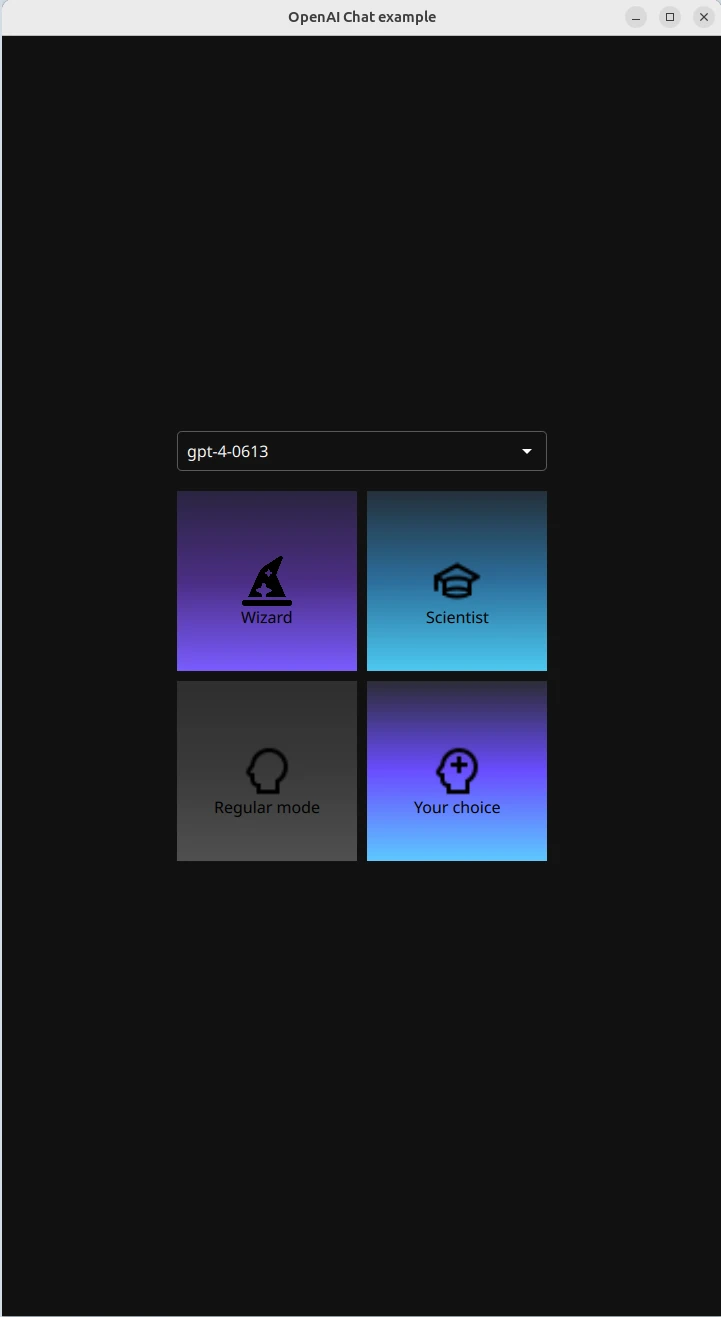
The example allows you to choose an OpenAI model from the list of available models and then chat with it. The communication is provided in four configuration modes:
- Wizard - The setup behaves like a wizard and prefers discussing topics related to magic.
- Scientist - The setup behaves like Albert Einstein and enjoys discussing physics.
- Regular Mode - Standard ChatGPT setup with no additional features.
- Your choice - you can create a custom description for the ChatGPT behavior.
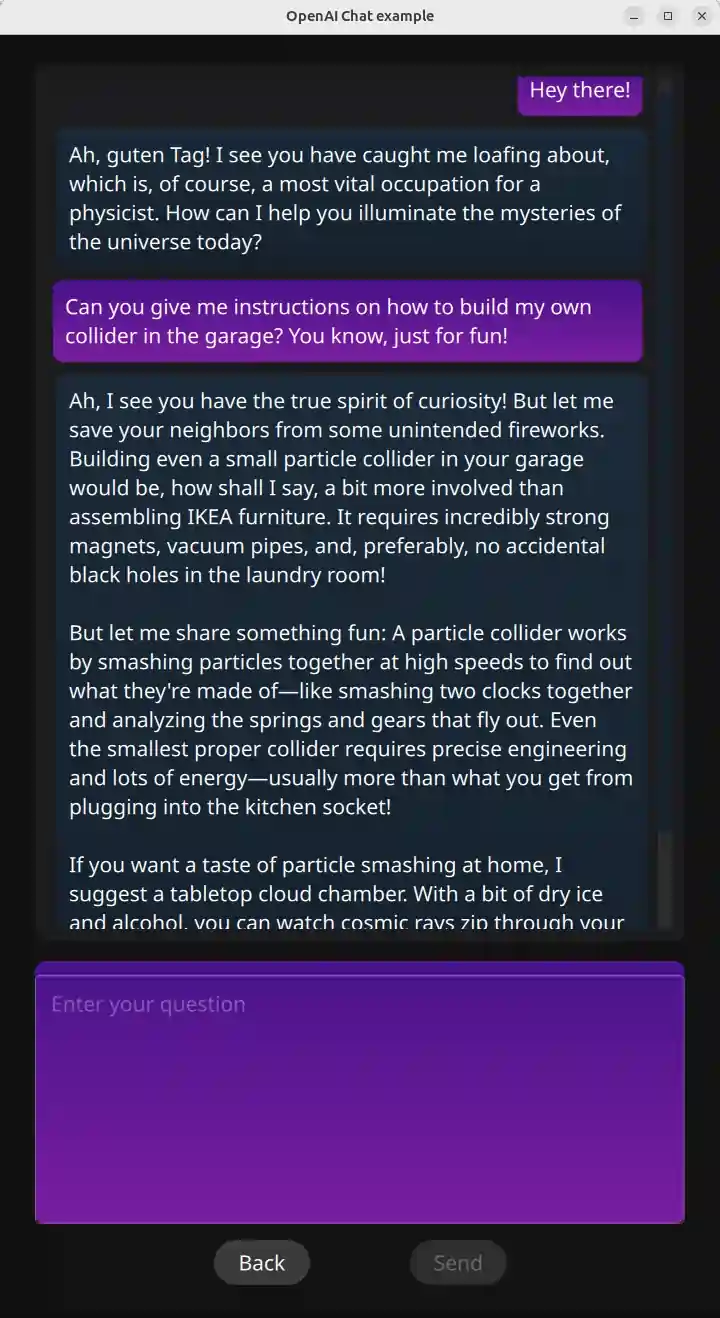
Once a mode is selected, the chat page appears.
Generating client code from an OpenAPI specification
The Qt 6 OpenAPI generator is invoked from the CMakeLists.txt file to generate client code from the response_api.yaml specification by calling the qt_add_openapi_client() function.
qt_add_library(openAIResponseApi)
qt_add_openapi_client(openAIResponseApi
    SPEC_FILE
        ${CMAKE_CURRENT_SOURCE_DIR}/response_api.yaml
)
The generated API classes ResponsesApi and ModelsApi handle all the low-level HTTP details:
- Server configuration
- HTTP request construction for all standard HTTP methods
- Serialization of input parameters according to the specification
- Deserialization of server responses into typed objects
- Success and error reporting through Qt signals
Now, all you need to do is send a request to the model by calling the createResponse() operation of the ResponsesApi class and parse its response, as shown below:
m_responseApi->createResponse(response, this, [&](const QRestReply &reply,
                                                  const Response &summary) {
    if (!reply.isSuccess()) {
        qWarning() << "createResponse:" << reply.errorString() << reply.error();
    } else {
        // To save the context of conversation with the openAI model,
        // we need to track returning ResponseId of the last model's message.
        // Context becomes irrelevant after switching to  the other model. If the model
        // doesn't know the context id, it will response like if the ResponseId is empty.
        m_responseId = summary.getId();
        const QList<OutputMessage> outputMessage = summary.getOutput();
        for (qsizetype msgIndex = 0; msgIndex < outputMessage.size(); msgIndex++) {
            const QList<OutputTextContent> messages
                = outputMessage.at(msgIndex).getContent();
            for (qsizetype contentIndex = 0; contentIndex < messages.size(); contentIndex++)
                emit responseReady(messages.at(contentIndex).getText());
        }
    }
});
Exposing generated APIs to QML
The helper class OpenAIChatManager exposes the generated API classes ResponsesApi and ModelsApi to QML. It is defined in openaichatmanager.h.
The helper class uses the QML_ELEMENT and QML_SINGLETON macros and registers the underlying C++ instance as a singleton, allowing QML to access the same object while ownership remains in C++:
class OpenAIChatManager : public QObject
{
    Q_OBJECT
    QML_ELEMENT
    QML_SINGLETON

    Q_PROPERTY(QString modelName READ modelName WRITE setModelName NOTIFY modelNameChanged FINAL)
    Q_PROPERTY(QString userRequest READ userRequest
               WRITE setUserRequest NOTIFY userRequestChanged FINAL)
    Q_PROPERTY(QStringList modelList READ modelList
               WRITE setModelList NOTIFY modelListChanged FINAL)
    Q_PROPERTY(CharacterMode characterId READ characterId
               WRITE setCharacterId NOTIFY characterIdChanged FINAL)
    Q_PROPERTY(QString customUserCharacter READ customUserCharacter
               WRITE setCustomUserCharacter NOTIFY customUserCharacterChanged FINAL)
The createResponse() operation is exposed via the invocable function of the OpenAIChatManager singleton:
Q_INVOKABLE void sendUserRequest();For more details, see the Qt QML documentation on registering a class to provide singletons.
Using the APIs from QML
Once registered, the singleton is available globally in QML. This allows QML components to access ResponsesApi and ModelsApi by using the singleton methods, as shown below:
function editingFinished() {
    var messageObject = {"name": "Me", "message": messageField.text };
    conversationModel.append(messageObject);
    OpenAIChatManager.userRequest = messageField.text;
    OpenAIChatManager.sendUserRequest();
    messageField.text = "";
}
Source files
See also All Qt Examples and ColorPalette RESTful API client.
© 2026 The Qt Company Ltd. Documentation contributions included herein are the copyrights of their respective owners. The documentation provided herein is licensed under the terms of the GNU Free Documentation License version 1.3 as published by the Free Software Foundation. Qt and respective logos are trademarks of The Qt Company Ltd. in Finland and/or other countries worldwide. All other trademarks are property of their respective owners.
