
Import modules
When you create projects, the wizard imports the Qt modules typically needed in such projects. For example, a Qt Quick application project contains basic components and UI controls.
To view the list of available modules, select  . Most commonly used modules are placed at the top of the list in alphabetical order. You can search for components and modules by entering search criteria in the Search field.
Select the module to add it to Components.
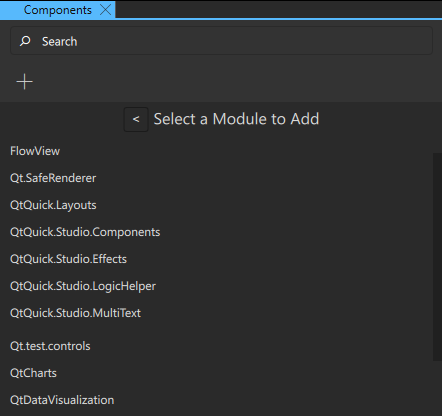
This adds an import statement to the component code that you can see in the Code view or Edit mode. For example, if you add the QtQuick.Controls module, the following import statement is added to the code: import QtQuick.Controls.
Because the added components and modules are packaged with your UI into the final application package, it is recommended that you select Remove Module to remove the ones you don't use in the project.
See also How to: Use UI components, Qt Quick UI design, and Designing Qt Quick UIs.
Copyright © The Qt Company Ltd. and other contributors. Documentation contributions included herein are the copyrights of their respective owners. The documentation provided herein is licensed under the terms of the GNU Free Documentation License version 1.3 as published by the Free Software Foundation. Qt and respective logos are trademarks of The Qt Company Ltd in Finland and/or other countries worldwide. All other trademarks are property of their respective owners.
