
Convert variables into design tokens
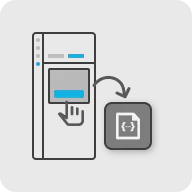
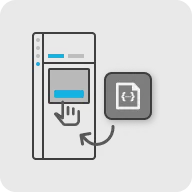

Export variables from a design, and then import them into another design. View the imported variable libraries in a list.
In Figma, variables store values that can apply to many properties and prototyping actions and make building designs, managing design systems, and creating complex prototyping flows faster.
Figma to Qt converts variables into QML modules called DesignTokens and creates a QML singleton for each variable collection. The modes of the collection become theme objects. The activeTheme property of a collection updates the property changes in the active theme.
When you bind a variable to a property of a layer, Figma to Qt adds the DesignTokens module import to the generated code and creates a property binding, as appropriate.
Import and export variable libraries
Figma does not allow plugins to automatically access variables in other files, so you need to import them to your design first. You can import variables from several other designs into your design if the collection names are unique.
The owner of a design library can use the plugin to export variables into a JSON file and import it into the design or ask you to import it yourself. If variables in the library are defined in yet another library, you also need a JSON file for that library.
When library variables are imported into a file, their data is stored directly within that document. This means the variables become part of the file itself and are available to all users who have access to it.
Import variables
To import variables:
- Go to
 (Variables) > Import.
- Select Import variables to import variables from one or several JSON files.
Imported libraries shows the variable libraries that you can convert into design tokens.
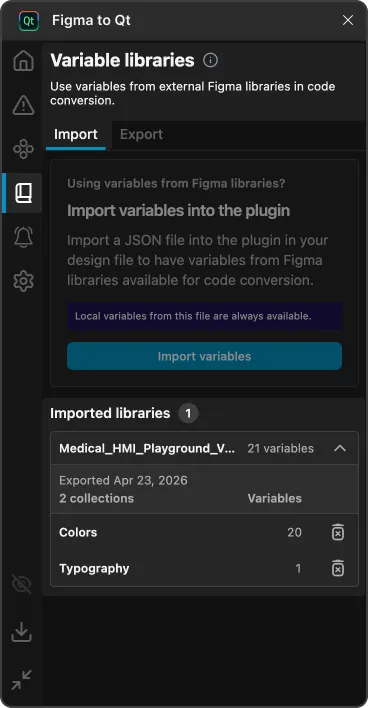
An imported library on the Variable libraries page.
If the design library changes, you need an updated JSON file to import.
Export variables
If you own design libraries in your organization, you can use Figma to Qt to export them into JSON files. You can then import them into other designs or deliver them to other users for importing them into their designs.
If variables in the library are defined in yet another library, the users will also need a JSON file for that library.
Users can import several libraries, so make sure that the collection names are unique.
To export variables from a design library:
- Open the plugin in the Figma file that defines the variables.
- Go to (Variables) > Export.

- Select Export variables to package the variables as a JSON file.
Every time you make changes to the design library, you need to export them and deliver the updated file to the other users.
Turn off conversion into design tokens
To turn off conversion into design tokens, go to  (Settings) > Code and then select Convert variables into design tokens.
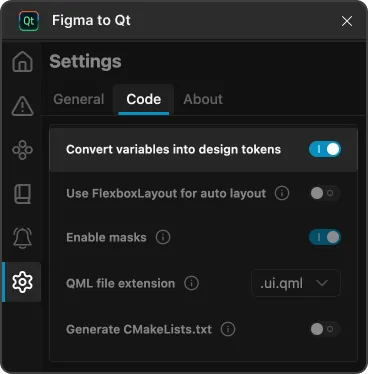
Convert variables into design tokens in Code settings on the Settings page in the plugin.
See also Convert designs, Generate CMake configuration files, and Preview converted designs.
© 2026 The Qt Company Ltd. Documentation contributions included herein are the copyrights of their respective owners. The documentation provided herein is licensed under the terms of the GNU Free Documentation License version 1.3 as published by the Free Software Foundation. Qt and respective logos are trademarks of The Qt Company Ltd in Finland and/or other countries worldwide. All other trademarks are property of their respective owners.
