
path2d QML Value Type
Provides path2d type, a painter path container matching to QCanvasPath. More...
| Import Statement: | import QtCanvas2D |
| Since: | Qt 6.12 |
| Status: | Technology preview |
This type is in technology preview and is subject to change.
Methods
- void addPath(path2d path, transform2d transform)
- void addPath(string svgPath, transform2d transform)
- void addPath(path2d path, int start, int count, transform2d transform)
- void arc(real x, real y, real radius, real startAngle, real endAngle, bool counterClockWise)
- void arcTo(real x1, real y1, real x2, real y2, real radius)
- void beginHoleSubPath()
- void beginSolidSubPath()
- void bezierCurveTo(real cp1x, real cp1y, real cp2x, real cp2y, real x, real y)
- void circle(real x, real y, real radius)
- void clear()
- void closePath()
- void ellipse(real x, real y, real radiusX, real radiusY)
- void ellipseRect(real x, real y, real width, real height)
- bool isEmpty()
- void lineTo(real x, real y)
- void moveTo(real x, real y)
- void quadraticCurveTo(real cpx, real cpy, real x, real y)
- void rect(real x, real y, real width, real height)
- void roundRect(real x, real y, real width, real height, real radius)
- void roundRect(real x, real y, real width, real height, real radiusTopLeft, real radiusTopRight, real radiusBottomRight, real radiusBottomLeft)
- void setPathWinding(const QString &winding)
Detailed Description
This value type is provided by the QtCanvas2D import.
See also QCanvasPath.
Method Documentation
void addPath(path2d path, transform2d transform)
Adds a path into this path, using transform as a transformation matrix. Providing transform parameter is optional.
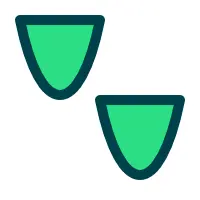
void addPath(string svgPath, transform2d transform)
Adds a svgPath into this path, using transform as a transformation matrix. Providing transform parameter is optional.
 | |
void addPath(path2d path, int start, int count, transform2d transform)
Adds path into the current path, starting from the command at start and including count amount of commands. Optionally using transform to alter the path points. The range of start and count is checked, so that commands are not accessed more than the path has commands. In case the path shouldn't continue from the current path position, call first moveTo().
void arc(real x, real y, real radius, real startAngle, real endAngle, bool counterClockWise)
Adds an arc to the current subpath that lies on the circumference of the circle whose center is at the point (x, y) and whose radius is radius.
Both startAngle and endAngle are measured from the x-axis in radians.
The default curve direction is clockwise. To change direction to opposite, set counterClockWise to true.
void arcTo(real x1, real y1, real x2, real y2, real radius)
Adds an arc with starting point (x1, y1), ending point (x2, y2), and radius to the current subpath and connects it to the previous subpath by a straight line.
void beginHoleSubPath()
Start a hole subpath.
void beginSolidSubPath()
Start a solid subpath.
void bezierCurveTo(real cp1x, real cp1y, real cp2x, real cp2y, real x, real y)
Adds a cubic bezier curve between the current position and the given endPoint using the control points specified by (cp1x, cp1y), and (cp2x, cp2y). After the curve is added, the current position is updated to be at the end point (x, y) of the curve.
void circle(real x, real y, real radius)
Creates a circle defined by its center (x, y), and radius radius, and adds it to the path as a closed subpath.
Note: Compared to arc(), this method does not add a straight line from the last point in the subpath to the start point of the circle.
void clear()
Clears the path from all the painting commands.
See also isEmpty().
void closePath()
Closes the current subpath by drawing a line to the beginning of the subpath, automatically starting a new path. The current point of the new path is the previous subpath's first point.
void ellipse(real x, real y, real radiusX, real radiusY)
Creates new ellipse shaped sub-path into center ( x, y) with radiusX and radiusY.
The ellipse is composed of a clockwise curve, starting and finishing at zero degrees (the 3 o'clock position).
void ellipseRect(real x, real y, real width, real height)
Creates an ellipse within the bounding rectangle defined by its top-left corner at (x, y), width width and height height, and adds it to the path as a closed subpath.
The ellipse is composed of a clockwise curve, starting and finishing at zero degrees (the 3 o'clock position).
Note: This method matches to QtQuick::Context2D::ellipse()
bool isEmpty()
Returns true when the path does not contain any painting commands.
See also clear().
void lineTo(real x, real y)
Draws a line from the current position to the point at (x, y).
void moveTo(real x, real y)
Creates a new subpath with a point at (x, y).
void quadraticCurveTo(real cpx, real cpy, real x, real y)
Adds a quadratic bezier curve between the current point and the endpoint (x, y) with the control point specified by (cpx, cpy).
void rect(real x, real y, real width, real height)
Adds a rectangle at position (x, y), with the given width width and height height, as a closed subpath.
void roundRect(real x, real y, real width, real height, real radius)
Adds a rounded-corner rectangle, specified by (x, y, width, height), to the path. The radius argument specify the radius of the ellipses defining the corners of the rounded rectangle.
void roundRect(real x, real y, real width, real height, real radiusTopLeft, real radiusTopRight, real radiusBottomRight, real radiusBottomLeft)
Adds a rounded-corner rectangle, specified by (x, y, width, height), to the path. The radiusTopLeft, radiusTopRight, radiusBottomRight and radiusBottomLeft arguments specify the radius of the ellipses defining the corners of the rounded rectangle.
void setPathWinding(const QString &winding)
Sets the current sub-path winding to either "counterclockwise" (default) or "clockwise". "counterclockwise" draws solid subpaths while "clockwise" draws holes.
Note: This is a command, similar to lineTo, moveTo, etc., and therefore setting the winding should be done before the rest of the commands to which the changed winding is meant to be applied to.
See also beginSolidSubPath() and beginHoleSubPath().
© 2026 The Qt Company Ltd. Documentation contributions included herein are the copyrights of their respective owners. The documentation provided herein is licensed under the terms of the GNU Free Documentation License version 1.3 as published by the Free Software Foundation. Qt and respective logos are trademarks of The Qt Company Ltd. in Finland and/or other countries worldwide. All other trademarks are property of their respective owners.
