
Canvas2DContext QML Type
Provides a 2D context for drawing on a Canvas2D item. More...
| Import Statement: | import QtCanvas2D |
| Since: | Qt 6.12 |
| Status: | Technology preview |
This type is in technology preview and is subject to change.
Properties
- antialias : real
- canvas : Canvas2D
- direction : string
- fillRule : string
- fillStyle : variant
- font : string
- globalAlpha : real
- globalBrightness : real
- globalCompositeOperation : string
- globalContrast : real
- globalSaturation : real
- highQualityStroking : bool
- lineCap : string
- lineJoin : string
- lineWidth : real
- miterLimit : real
- strokeStyle : variant
- textAlign : string
- textAntialias : real
- textBaseline : string
- textLineHeight : real
- textWrapMode : string
- windingEnforce : bool
Methods
- void addPath(path2d path, transform2d transform)
- void addPath(path2d path, int start, int count, transform2d transform)
- void arc(real x, real y, real radius, real startAngle, real endAngle, bool anticlockwise)
- void arcTo(real x1, real y1, real x2, real y2, real radius)
- void beginHoleSubPath()
- void beginPath()
- void beginSolidSubPath()
- void bezierCurveTo(real cp1x, real cp1y, real cp2x, real cp2y, real x, real y)
- void circle(real centerX, real centerY, real radius)
- void cleanupResources()
- void clearRect(real x, real y, real width, real height)
- void closePath()
- boxgradient2d createBoxGradient(real x, real y, real width, real height, real feather, real radius)
- boxshadow2d createBoxShadow(real x, real y, real width, real height)
- boxshadow2d createBoxShadow(real x, real y, real width, real height, real blur, string color, real radius)
- boxshadow2d createBoxShadow(real x, real y, real width, real height, real blur, string color, real radiusTopLeft, real radiusTopRight, real radiusBottomRight, real radiusBottomLeft)
- conicalgradient2d createConicalGradient(real x, real y, real angle)
- gridpattern2d createGridPattern(real x, real y, real width, real height, string lineColor, string backgroundColor, real lineWidth, real feather, real angle)
- lineargradient2d createLinearGradient(real x0, real y0, real x1, real y1)
- path2d createPath2D()
- path2d createPath2D(path2d path)
- path2d createPath2D(string svgPath)
- imagepattern2d createPattern(Image image, string repetition)
- radialgradient2d createRadialGradient(real x0, real y0, real r0, real x1, real y1, real r1)
- transform2d createTransform2D()
- void drawBoxShadow(boxshadow2d shadow)
- void drawImage(variant image, real dx, real dy)
- void drawImage(variant image, real dx, real dy, real dw, real dh)
- void drawImage(variant image, real sx, real sy, real sw, real sh, real dx, real dy, real dw, real dh)
- void ellipse(real centerX, real centerY, real radiusX, real radiusY)
- void ellipseRect(real x, real y, real width, real height)
- void fill()
- void fill(string fillRule)
- void fill(path2d path, int pathGroup)
- void fill(path2d path, string fillRule, int pathGroup)
- void fillRect(real x, real y, real width, real height)
- void fillText(text, x, y, maxWidth)
- void fillText(text, x, y, width, height)
- transform2d getTransform()
- void lineTo(real x, real y)
- object measureText(text)
- void moveTo(real x, real y)
- void quadraticCurveTo(real cpx, real cpy, real x, real y)
- void rect(real x, real y, real width, real height)
- void removePathGroup(int pathGroup)
- void reset()
- void resetClipping()
- void resetTransform()
- void restore()
- void rotate(real angle)
- void roundRect(real x, real y, real width, real height, real radius)
- void roundRect(real x, real y, real width, real height, real radiusTopLeft, real radiusTopRight, real radiusBottomRight, real radiusBottomLeft)
- void save()
- void scale(real scale)
- void scale(real sx, real sy)
- void setClipRect(real x, real y, real width, real height)
- void setPathWinding(string winding)
- void setTransform(transform2d transform)
- void setTransform(real a, real b, real c, real d, real e, real f)
- void skew(real angleX, real angleY)
- void stroke()
- void stroke(path2d path, int pathGroup)
- void strokeRect(real x, real y, real width, real height)
- void transform(transform2d transform)
- void transform(real a, real b, real c, real d, real e, real f)
- void translate(real x, real y)
Detailed Description
The Canvas2DContext object can be created by Canvas item's getContext() method:
Canvas2D {
  id: canvas
  onPaint: {
     var ctx = canvas.getContext('2d');
     //...
  }
}
The Context2D API implements the same W3C Canvas 2D Context API standard with some enhanced features.
The Context2D API provides the rendering context which defines the methods and attributes needed to draw on the Canvas item. The following assigns the canvas rendering context to a context variable:
var context = mycanvas.getContext("2d")Here is a simple example of using Canvas2D to create a round button.
 | |
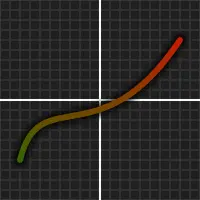
Here is another example of painting a simple graph.
 | |
Property Documentation
antialias : real
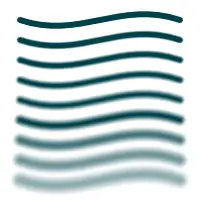
Holds the current antialias amount. More antialias means smoother painting. This only affects fill and stroke painting, not images or texts. The default value is 1.0 and the maximum value is 10.0.
Antialiasing can be modified per-path so it can be set before each stroke/fill.
 | |
See also textAntialias.
canvas : Canvas2D
Holds the canvas item that the context paints on.
This property is read only.
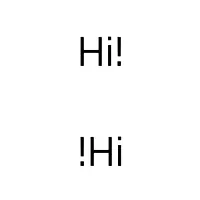
direction : string
Holds the current direction used to draw text. The possible values are:
| Constant | Description |
|---|---|
"inherit" | (default) The text direction is inherited from QGuiApplication layoutDirection. See https://doc.qt.io/qt-6/qguiapplication.html#layoutDirection-prop. |
"ltr" | The text direction is left-to-right. |
"rtl" | The text direction is right-to-left. |
"auto" | The text direction is detected automatically based from the text string. See QString::isRightToLeft(). |
The default direction is "inherit".
 | |
fillRule : string
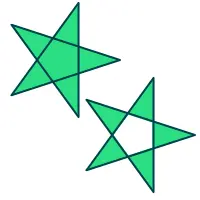
Holds the current fill rule used for filling shapes. This value is applied to all fill() calls after the rule has been set. The default fill rule is "nonzero"
The following fill rules are supported:
| Constant | Description |
|---|---|
"nonzero" | (or "WindingFill") The path is filled using the non zero winding rule. With this rule, we determine whether a point is inside the shape by using the following method. Draw a horizontal line from the point to a location outside the shape. Determine whether the direction of the line at each intersection point is up or down. The winding number is determined by summing the direction of each intersection. If the number is non zero, the point is inside the shape. This fill mode can also in most cases be considered as the intersection of closed shapes. This mode is the default. |
"evenodd" | (or "OddEvenFill") The path is filled using the odd even fill rule. With this rule, we determine whether a point is inside the shape by using the following method. Draw a horizontal line from the point to a location outside the shape, and count the number of intersections. If the number of intersections is an odd number, the point is inside the shape. |
 | |
See also fill().
fillStyle : variant
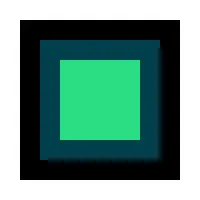
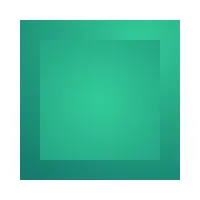
Holds the current style used for filling shapes. The default fill style is solid black ('#000000'). The style can be either a string containing a CSS color, QML color, or a canvas brush object. Invalid values are ignored. This property accepts several color syntaxes:
- '#RRGGBB' - for example: '#00FFCC'
- '#AARRGGBB' - for example: '#8000FFCC'
- SVG color name - for example: 'black', 'green' or 'lightsteelblue'
- Qt.hsla(hue, saturation, lightness, alpha) - for example: Qt.hsla(0.3, 0.7, 1, 1.0)
- Qt.rgba(red, green, blue, alpha) - for example: Qt.rgba(0.3, 0.7, 1, 1.0)
If fillStyle or strokeStyle is assigned many times in a loop, the Qt.rgba() syntax should be chosen, as it has the best performance, because it's already a valid QColor value and does not need to be parsed every time.
 | |
 |
See also createLinearGradient(), createRadialGradient(), createConicalGradient(), createBoxGradient(), createBoxShadow(), createPattern(), createGridPattern(), and strokeStyle.
font : string
Holds the current font settings.
A subset of the w3C 2d context standard for font is supported:
- font-style (optional): normal | italic | oblique
- font-variant (optional): normal | small-caps
- font-weight (optional): normal | bold | 1 ... 1000
- font-size: Npx | Npt (where N is a positive number)
- font-family: See http://www.w3.org/TR/CSS2/fonts.html#propdef-font-family
Note: The font-size and font-family properties are mandatory and must be in the order they are shown above. In addition, a font family with spaces in its name must be quoted.
The default font value is "10px sans-serif".
globalAlpha : real
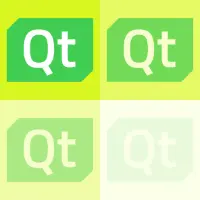
Holds the current alpha (transparency) value applied to rendering operations. This alpha value is applied to all rendered shapes. Already transparent paths will get proportionally more transparent as well. Alpha should be between 0.0 (fully transparent) and 1.0 (fully opaque). By default alpha is 1.0.
 | |
globalBrightness : real
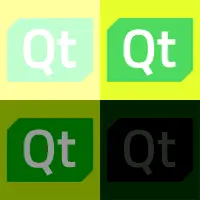
Holds the current brightness value applied to rendering operations. This brightess is applied to all rendered shapes. A value of 0 will cause painting to be completely black. Value can also be bigger than 1.0, to increase the brightness. By default, brightness is 1.0.
 | |
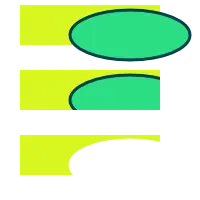
globalCompositeOperation : string
Holds the current composition operation. This mode is applied to all painting operations. Allowed operations are:
| Constant | Description |
|---|---|
"source-atop" | A atop B. Display the source image wherever both images are opaque. Display the destination image wherever the destination image is opaque but the source image is transparent. Display transparency elsewhere. |
"source-over" | (default) A over B. Display the source image wherever the source image is opaque. Display the destination image elsewhere. |
"destination-out" | B out A. Display the destination image wherever the destination image is opaque and the source image is transparent. Display transparency elsewhere. Note: To work properly, composite modes require enabling |
 | |
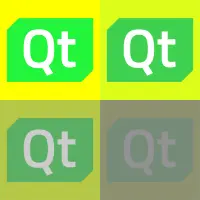
globalContrast : real
Holds the current contrast value applied to rendering operations. This contrast is applied to all rendered shapes. A value of 0 will cause painting to be completely gray (0.5, 0.5, 0.5). Value can also be bigger than 1.0, to increase the contrast. By default, contrast is 1.0.
 | |
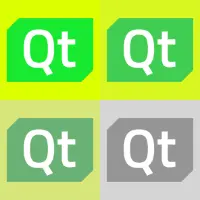
globalSaturation : real
Holds the current saturation value applied to rendering operations. This saturations is applied to all rendered shapes. A value of 0 will disable saturation and cause painting to be completely grayscale. Value can also be bigger than 1.0, to increase the saturation. By default, saturation is 1.0.
 | |
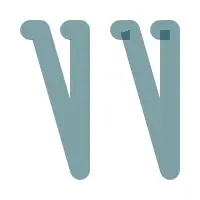
highQualityStroking : bool
Holds the current high quality stroking enabling status. Setting this to true gives a more correct rendering in some less common cases where stroking overlaps and doesn't have full opacity. Enabling it results into higher rendering cost. The default value is false.
 | |
lineCap : string
Holds the current line cap style. The possible line cap styles are:
| Constant | Description |
|---|---|
"butt" | (default) The end of each line has a flat edge perpendicular to the direction of the line. |
"round" | A semi-circle with the diameter equal to the width of the line is added on to the end of the line. |
"square" | A rectangle with the length of the line width and the width of half the line width, placed flat against the edge perpendicular to the direction of the line. |
 | |
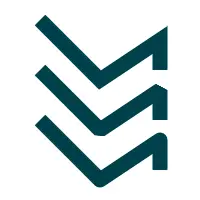
lineJoin : string
Holds the current line join style. A join exists at any point in a subpath shared by two consecutive lines. When a subpath is closed, then a join also exists at its first point (equivalent to its last point) connecting the first and last lines in the subpath.
The possible line join styles are:
| Constant | Description |
|---|---|
"bevel" | The triangular notch between the two lines is filled. |
"round" | A circular arc between the two lines is filled. |
"miter" | (default) The outer edges of the lines are extended to meet at an angle, and this area is filled. |
 | |
See also miterLimit.
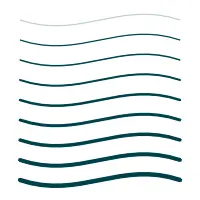
lineWidth : real
Holds the current line width. The default line width is 1.0. When antialiasing is enabled, the line widths under a single pixel automatically fade the opacity, creating a smooth output.
 | |
See also stroke().
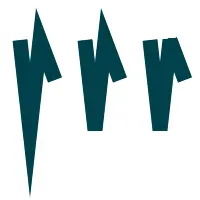
miterLimit : real
Holds the current miter limit length. Miter limit controls when a sharp corner is beveled. When the corner length would become longer than this limit, a "bevel" lineJoin will be applied between the lines instead. This only has effect with the "miter" line join. The default limit is 10.0.
 | |
See also lineJoin.
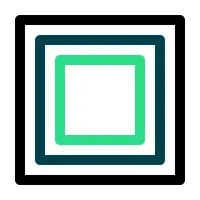
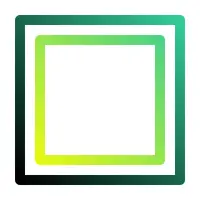
strokeStyle : variant
Holds the current color or style to use for the lines around shapes, The style can be either a string containing a CSS color, QML color, or a canvas brush object. Invalid values are ignored.
The default value is black ('#000000').
 | |
 | |
See also createLinearGradient(), createRadialGradient(), createConicalGradient(), createBoxGradient(), createBoxShadow(), createPattern(), createGridPattern(), and fillStyle.
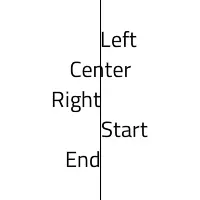
textAlign : string
Holds the current text alignment settings. The possible values are:
| Constant | Description |
|---|---|
"start" | (default) Align to the start edge of the text (left side in left-to-right text, right side in right-to-left text). |
"end" | Align to the end edge of the text (right side in left-to-right text, left side in right-to-left text). |
"left" | Align to the left. |
"right" | Align to the right. |
"center" | Center the text. |
 | |
See also textBaseline.
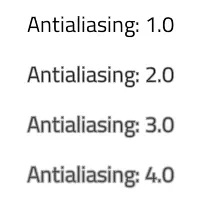
textAntialias : real
Holds the current text antialias amount. The value is a multiplier to normal antialiasing, meaning that 0.0 disables antialiasing and 2.0 doubles it. The default value is 1.0.
Note: Due to the text antialiasing technique used (SDF), the maximum antialiasing amount is quite limited and this affects less when the font size is small.
 | |
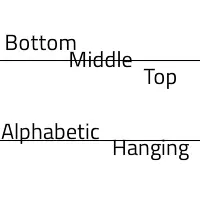
textBaseline : string
Holds the current baseline alignment settings. The possible values are:
| Constant | Description |
|---|---|
"top" | The top of the em square |
"hanging" | The hanging baseline |
"middle" | The middle of the em square |
"alphabetic" | (default) The alphabetic baseline |
"bottom" | The bottom of the em square |
 | |
See also textAlign.
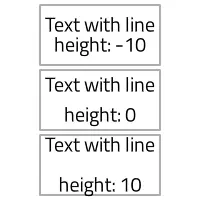
textLineHeight : real
Holds the current text line height adjustment amount in pixels. The default line height is 0.
 | |
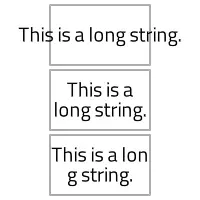
textWrapMode : string
Holds the current text wrap mode, so how the text is wrapped to multiple lines. The possible values are:
| Constant | Description |
|---|---|
"nowrap" | (default) No wrapping will be performed. If the text contains insufficient newlines, then contentWidth will exceed a set width. |
"wrap" | If possible, wrapping occurs at a word boundary; otherwise it will occur at the appropriate point on the line, even in the middle of a word. |
"wordwrap" | Wrapping is done on word boundaries only. If a word is too long, content width will exceed a set width. |
"wrapanywhere" | Wrapping is done at any point on a line, even if it occurs in the middle of a word. |
The default wrap mode is "nowrap".
 | |
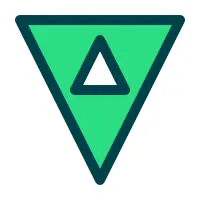
windingEnforce : bool
Holds the current winding enforcing enabling status. Setting this to false disables enforcing of path winding to match what has been set into setPathWinding(). Disabling allows e.g. creating holes into paths by adding the points in clock wise order. Disabling can also increase the performance. The default value is true.
 | |
Method Documentation
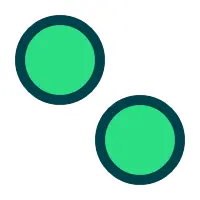
void addPath(path2d path, transform2d transform)
Adds path into the current path, optionally using transform to alter the path points. When transform is not provided (or it is identity matrix), this operation is very fast as it reuses the path data.
 | |
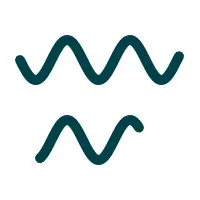
void addPath(path2d path, int start, int count, transform2d transform)
Adds path into the current path, starting from the command at start and including count amount of commands. Optionally using transform to alter the path points. The range of start and count is checked, so that commands are not accessed more than the path has commands. In case the path shouldn't continue from the current path position, call first moveTo().
 | |
void arc(real x, real y, real radius, real startAngle, real endAngle, bool anticlockwise)
Creates a new circle arc shaped sub-path. The arc center is at x, y, with radius, and the arc is drawn from angle startAngle to endAngle. The default curve direction is clockwise. To change direction to the opposite, set anticlockwise to true. Angles are specified in radians.
 | |
Note: While HTML canvas 2D context uses arc() for painting circles, with Canvas2D it is recommended to use circle() or ellipse() for those.
See also arcTo and W3C's 2D Context Standard for arc().
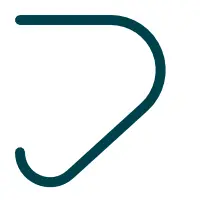
void arcTo(real x1, real y1, real x2, real y2, real radius)
Adds an arc segment at the corner defined by the last path point, and two specified points (x1, y1 and x2, y2) with radius. The arc is automatically connected to the path's latest point with a straight line if necessary.
 | |
See also arc and W3C's 2D Context Standard for arcTo().
void beginHoleSubPath()
Start a hole subpath. This is equivalent to setPathWinding("clockwise")
 | |
See also beginSolidSubPath().
void beginPath()
Begins drawing a new path while clearing the current path.
void beginSolidSubPath()
Start a solid subpath. This is equivalent to setPathWinding("counterclockwise")
See also beginHoleSubPath().
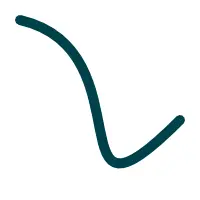
void bezierCurveTo(real cp1x, real cp1y, real cp2x, real cp2y, real x, real y)
Adds a cubic bezier segment from last point in the path via two control points (cp1x, cp1y and cp2x, cp2y) to the specified point (x, y).
 | |
See also W3C 2d context standard for bezierCurveTo.
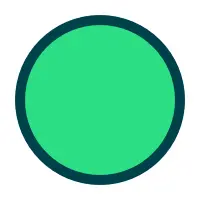
void circle(real centerX, real centerY, real radius)
Creates a new circle shaped sub-path centered at ( centerX, centerY) with radius.
 | |
Note: Compared to arc(), this method does not add a straight line from the last point in the subpath to the start point of the circle.
void cleanupResources()
Schedules dropping unused textures from the cache.
Additionally, other caches and pools may get shrunk upon calling this function, in order to minimize memory usage. This may potentially lead to more expensive drawing calls afterwards.
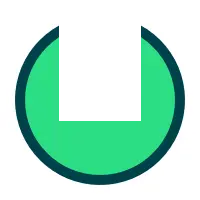
void clearRect(real x, real y, real width, real height)
Erases the pixels in a rectangular area by filling the rectangle specified by x, y, width, height with transparent black. As clearing does not need blending, it can be faster than fillRect().
 | |
void closePath()
Closes the current subpath by drawing a line to the beginning of the subpath, automatically starting a new path. The current point of the new path is the previous subpath's first point.
See also W3C 2d context standard for closePath.
boxgradient2d createBoxGradient(real x, real y, real width, real height, real feather, real radius)
Returns a boxgradient2d object that represents a box gradient that covers the rectangle area (x, y, width, height) with feather (smoothing) feather and corner radius radius.
 | |
See also boxgradient2d::addColorStop(), fillStyle, and strokeStyle.
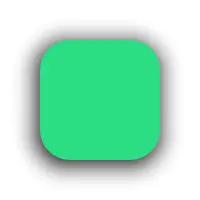
boxshadow2d createBoxShadow(real x, real y, real width, real height)
Returns a boxshadow2d object that represents a box shadow that covers the rectangle area (x, y, width, height).
 | |
See also drawBoxShadow().
boxshadow2d createBoxShadow(real x, real y, real width, real height, real blur, string color, real radius)
Returns a boxshadow2d object with color color that represents a box shadow that covers the rectangle area (x, y, width, height) with blur blur and corner radius radius.
See also drawBoxShadow().
boxshadow2d createBoxShadow(real x, real y, real width, real height, real blur, string color, real radiusTopLeft, real radiusTopRight, real radiusBottomRight, real radiusBottomLeft)
Returns a boxshadow2d object with color color that represents a box shadow that covers the rectangle area (x, y, width, height) with blur blur and corner radius (radiusTopLeft, radiusTopRight, radiusBottomRight, radiusBottomLeft).
See also drawBoxShadow().
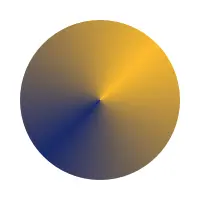
conicalgradient2d createConicalGradient(real x, real y, real angle)
Returns a conicalgradient2d object that represents a conical gradient that interpolates colors counter-clockwise around a center point (x, y) with a start angle angle in units of radians.
 | |
See also conicalgradient2d::addColorStop(), createLinearGradient(), createRadialGradient(), createPattern(), fillStyle, and strokeStyle.
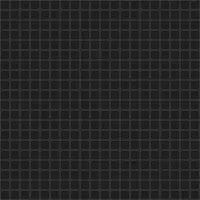
gridpattern2d createGridPattern(real x, real y, real width, real height, string lineColor, string backgroundColor, real lineWidth, real feather, real angle)
Returns a gridpattern2d object that covers the rectangle area (x, y, width, height). The grid uses lineColor for lines and backgroundColor for the background. The line width is lineWidth, line feather is feather and the rotation angle is angle in radians.
 | |
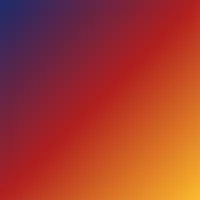
lineargradient2d createLinearGradient(real x0, real y0, real x1, real y1)
Returns a lineargradient2d object that represents a linear gradient that transitions the color along a line between the start point (x0, y0) and the end point (x1, y1).
Gradients must have two or more color stops, representing color shifts positioned from 0 to 1 between the gradient's starting and end points.
 | |
See also lineargradient2d::addColorStop(), createRadialGradient(), createConicalGradient(), createPattern(), fillStyle, and strokeStyle.
path2d createPath2D()
Returns a new path2d object. Calling this is equal to HTML canvas "new Path2D()" command.
path2d createPath2D(path2d path)
Returns a new path2d object, with the copy of path. Calling this is equal to HTML canvas "new Path2D(path)" command.
path2d createPath2D(string svgPath)
Returns a new path2d object, with the content of svgPath. Calling this is equal to HTML canvas "new Path2D(d)" command.
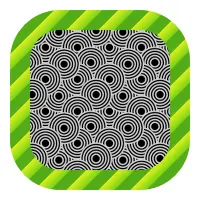
imagepattern2d createPattern(Image image, string repetition)
Returns an imagepattern2d object that uses the given image and repeats in the direction(s) given by the repetition argument.
The image parameter must be a valid Image item or a loaded image url. If there is no image data, this function throws an INVALID_STATE_ERR exception.
The allowed values for repetition are:
| Constant | Description |
|---|---|
"repeat" | both directions |
"repeat-x | horizontal only |
"repeat-y" | vertical only |
"no-repeat" | neither |
If the repetition argument is empty or null, the value "repeat" is used.
 | |
See also strokeStyle and fillStyle.
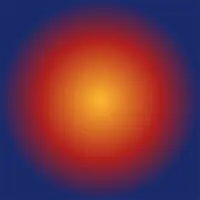
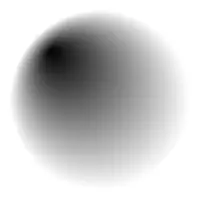
radialgradient2d createRadialGradient(real x0, real y0, real r0, real x1, real y1, real r1)
Returns a radialgradient2d object that represents a radial gradient that paints along the cone given by the start circle with origin (x0, y0) and radius r0, and the end circle with origin (x1, y1) and radius r1.
With only 4 parameters, the parameters are used as (x, y, r0, r1), where the center position is the same for both inner and outer radius.
 | |
 | |
See also radialgradient2d::addColorStop(), createLinearGradient(), createConicalGradient(), createPattern(), fillStyle, and strokeStyle.
transform2d createTransform2D()
Returns a new transform2d object, initialized to identity matrix.
See also getTransform().
void drawBoxShadow(boxshadow2d shadow)
Draws a given box shadow. The shadow will be painted with position, size, color, blur etc. defined by shadow. Calling beginPath() before this method is not required.
| |
See also createBoxShadow().
void drawImage(variant image, real dx, real dy)
Draws the given image on the canvas at position (dx, dy). Note: The image type can be an Image item or an image url. When given as Image item, if the image isn't fully loaded, this method draws nothing. When given as url string, the image should be loaded by calling Canvas item's Canvas2D::loadImage() method first. This drawing is subject to the current context clip path.
 | |
See also Image, Canvas2D::loadImage, Canvas2D::isImageLoaded, Canvas2D::imageLoaded, and W3C 2d context standard for drawImage.
void drawImage(variant image, real dx, real dy, real dw, real dh)
This is an overloaded function. Draws the given item as image onto the canvas at point (dx, dy) and with width dw, height dh.
 | |
See also Image, Canvas2D::loadImage(), Canvas2D::isImageLoaded, Canvas2D::imageLoaded, and W3C 2d context standard for drawImage.
void drawImage(variant image, real sx, real sy, real sw, real sh, real dx, real dy, real dw, real dh)
This is an overloaded function. Draws the given item as image from source point (sx, sy) and source width sw, source height sh onto the canvas at point (dx, dy) and with width dw, height dh.
 | |
See also Image, Canvas2D::loadImage(), Canvas2D::isImageLoaded, Canvas2D::imageLoaded, and W3C 2d context standard for drawImage.
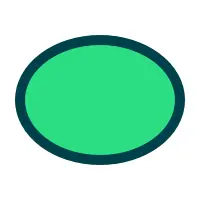
void ellipse(real centerX, real centerY, real radiusX, real radiusY)
Creates a new ellipse shaped sub-path centered at ( centerX, centerY) with radiusX and radiusY.
 | |
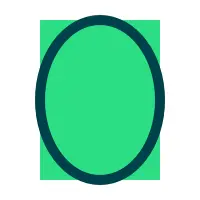
void ellipseRect(real x, real y, real width, real height)
Creates a new ellipse shaped sub-path into rect x, y, width, height. This ellipse will cover the rect area.
 | |
Note: This method matches to QtQuick::Context2D::ellipse()
void fill()
Fills the current path with the current fill style, and the current fill rule.
 | |
See also fillStyle, fillRule, and W3C 2d context standard for fill.
void fill(string fillRule)
Fills the current path with the current fill style, and fill rule fillRule.
See also fillStyle and fillRule.
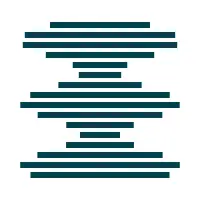
void fill(path2d path, int pathGroup)
Fills the path with the current fill style and fill rule, and belonging into optional pathGroup. Painting through QCanvasPath is optimal when the path contains more commands and is mostly static.
When pathGroup is -1, the path will not be cached on the GPU side. This is the default. To request caching of path data, pass a value equal or greater than 0. More information about using path cache groups can be found in the QCanvasPath documentation.
Calling beginPath() before this method is not required.
 | |
See also fillStyle and path2d.
void fill(path2d path, string fillRule, int pathGroup)
Fills the path with the current fill style and using fillRule. The cache group parameter pathGroup is optional.
See also fillStyle, fillRule, and path2d.
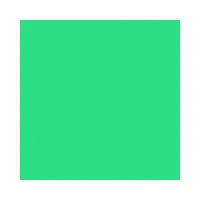
void fillRect(real x, real y, real width, real height)
Draws a filled rectangle into the specified position ( x, y) with size width, height.
Note: This is provided for convenience. When filling more than just a single rect, prefer using rect().
 | |
See also fillStyle.
void fillText(text, x, y, maxWidth)
Draws text string at the specified location ( x, y), with current textAlign and textBaseline. To make the text wrap into multiple lines, set the text wrap mode using textWrapMode to something else than the default "nowrap". Optional maxWidth parameter defaults to 0. Meaning that when e.g. "wordwrap" has been set, text is wrapped on every word. Set the maxWidth parameter to preferred row width in pixels.
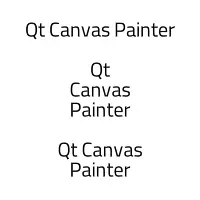 | |
See also font, textAlign, textBaseline, and textWrapMode.
void fillText(text, x, y, width, height)
Draws text string inside rect (x, y, width, height), with current textAlign and textBaseline. Width of the rect parameter is used as maxWidth.
It is often useful to set the text baseline to TextBaseline::Top or TextBaseline::Middle when painting text with this method.
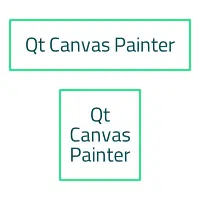 | |
See also font, textAlign, textBaseline, and textWrapMode.
transform2d getTransform()
Returns the current transformation matrix.
See also setTransform().
void lineTo(real x, real y)
Draws a line from the current position to the point at (x, y).
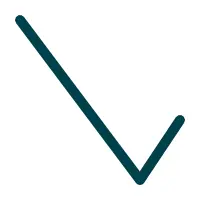 | |
object measureText(text)
Returns an object with a width property, whose value is equivalent to calling QFontMetricsF::horizontalAdvance() with the given text in the current font.
void moveTo(real x, real y)
Creates a new subpath with a point at (x, y).
void quadraticCurveTo(real cpx, real cpy, real x, real y)
Adds a quadratic bezier segment from last point in the path via a control point (cpx, cpy) to the specified point (x, y).
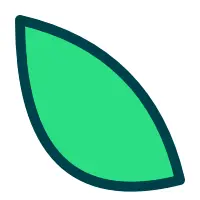 | |
See also W3C 2d context standard for quadraticCurveTo.
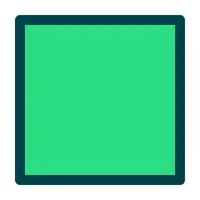
void rect(real x, real y, real width, real height)
Creates a new rectangle shaped sub-path in position x, y with size width, height.
 | |
void removePathGroup(int pathGroup)
Removes pathGroup from the painter cache. Calling fill() or stroke() for pathGroup after this, will regenerate the path into the group cache.
Note: This does not need to be normally called as paths are removed in the painter destructor. Only use this to reduce memory usage when pathGroup is not needed anymore or e.g. when the path has a lot less commands that it has had in the past and buffer size should be reduced.
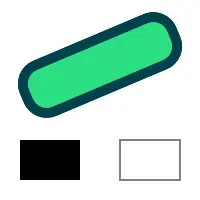
void reset()
Resets the current painter state to default values.
Note: This method differs from the HTML canvas 2D context reset() method so that it doesn't visually clear the canvas buffers.
 | |
See also save() and restore().
void resetClipping()
Resets and disables clipping.
See also setClipRect().
void resetTransform()
Reset the transformation matrix to the default value (equivalent to calling setTransform(1, 0, 0, 1, 0, 0)).
See also transform(), setTransform(), and reset().
void restore()
Pops and restores the current render state. So previously saved state will be restored. If save() has not been called and the state stack is empty, calling this does nothing.
See also save().
void rotate(real angle)
Rotates the current coordinate system clockwise by angle.
The angle is specified in radians.
 | |
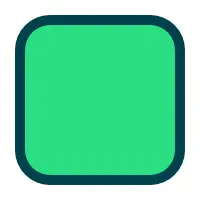
void roundRect(real x, real y, real width, real height, real radius)
Creates a new rounded rectangle shaped sub-path in position x, y with size width, height. Corners rounding will be radius.
 | |
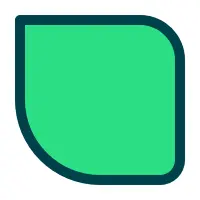
void roundRect(real x, real y, real width, real height, real radiusTopLeft, real radiusTopRight, real radiusBottomRight, real radiusBottomLeft)
Creates a new rounded rectangle shaped sub-path in position x, y with size width, height. Corners rounding can be varying per-corner, with radiusTopLeft, radiusTopRight, radiusBottomRight, radiusBottomLeft.
 | |
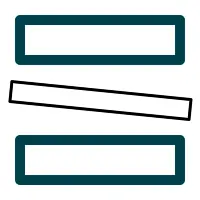
void save()
Pushes and saves the current render state into a state stack. A matching restore() must be used to restore the state.
Note: The current path is NOT part of the drawing state. The path can be reset by invoking the beginPath() method.
 | |
See also restore().
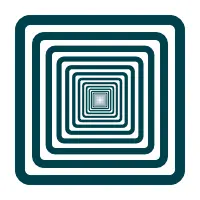
void scale(real scale)
Scales the current coordinate system by scale. Both x and y coordinates are scaled evenly.
 | |
void scale(real sx, real sy)
Increases or decreases the size of each unit in the canvas grid by multiplying the scale factors to the current tranform matrix. sx is the scale factor in the horizontal direction and sy is the scale factor in the vertical direction.
The following code doubles the horizontal size of an object drawn on the canvas and halves its vertical size:
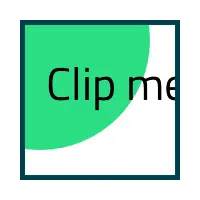
ctx.scale(2.0, 0.5);void setClipRect(real x, real y, real width, real height)
Sets the current scissor rectangle to (x, y, width, height). The scissor rectangle is transformed by the current transform.
Note: Clipping has some performance cost and it should only be used when needed.
 | |
See also resetClipping().
void setPathWinding(string winding)
Sets the current sub-path winding to either "counterclockwise" (default) or "clockwise". "counterclockwise" draws solid subpaths while "clockwise" draws holes.
 | |
See also beginHoleSubPath() and beginSolidSubPath().
void setTransform(transform2d transform)
Resets the current transform and uses transform instead.
 | |
See also transform() and getTransform().
void setTransform(real a, real b, real c, real d, real e, real f)
Changes the transformation matrix to the matrix given by the arguments as described below.
Modifying the transformation matrix directly enables you to perform scaling, rotating, and translating transformations in a single step.
Each point on the canvas is multiplied by the matrix before anything is drawn. The HTML Canvas 2D Context specification defines the transformation matrix where:
- a is the scale factor in the horizontal (x) direction
- c is the skew factor in the x direction
- e is the translation in the x direction
- b is the skew factor in the y (vertical) direction
- d is the scale factor in the y direction
- f is the translation in the y direction
- the last row remains constant
The scale factors and skew factors are multiples; e and f are coordinate space units, just like the units in the translate(x,y) method.
See also transform().
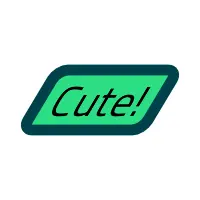
void skew(real angleX, real angleY)
Skews (shears) the current coordinate system along X axis by angleX and along Y axis by angleY. The default value of angleY is 0 when only a single parameter is provided. Angles are specified in radians.
 | |
void stroke()
Strokes the current path with the current stroke style.
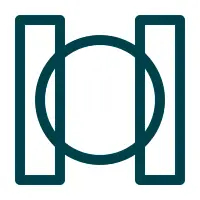 | |
See also strokeStyle and W3C 2d context standard for stroke.
void stroke(path2d path, int pathGroup)
Strokes the path with the current stroke style and belonging into pathGroup. Painting through QCanvasPath is optimal when the path contains more commands and is mostly static.
When pathGroup is -1, the path's rendering-related data will not be cached. This is the default. To request caching of path data, pass a value equal or greater to 0. More information about using path cache groups can be found in the QCanvasPath documentation.
Calling beginPath() before this method is not required.
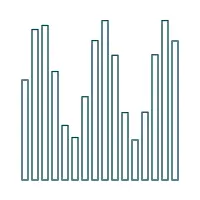 | |
See also strokeStyle, path2d, and W3C 2d context standard for stroke.
void strokeRect(real x, real y, real width, real height)
Draws a stroked rectangle into the specified position ( x, y) with size width, height.
Note: This is provided for convenience. When stroking more than just a single rect, prefer using rect().
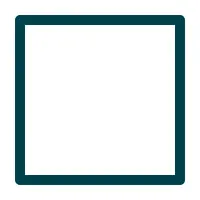 | |
See also strokeStyle, lineWidth, lineJoin, and miterLimit.
void transform(transform2d transform)
Multiplies the current coordinate system by specified transform.
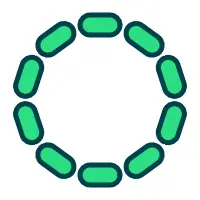 | |
See also setTransform().
void transform(real a, real b, real c, real d, real e, real f)
Multiplies the current coordinate system by the specified transform (a, b, c, d, e, f).
This method is similar to setTransform(), but instead of replacing the old transform matrix, this method applies the given transform matrix to the current matrix by multiplying to it.
See also setTransform().
void translate(real x, real y)
Translates the current coordinate system by x and y.
 | |
© 2026 The Qt Company Ltd. Documentation contributions included herein are the copyrights of their respective owners. The documentation provided herein is licensed under the terms of the GNU Free Documentation License version 1.3 as published by the Free Software Foundation. Qt and respective logos are trademarks of The Qt Company Ltd. in Finland and/or other countries worldwide. All other trademarks are property of their respective owners.
