
View application output
Use the Application Output view to see the status of a program when you execute it or the debug output.
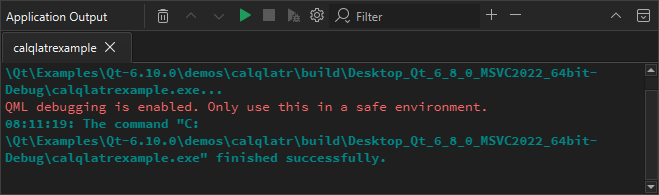
If you specify command-line arguments in the run settings that are passed to the application when running it, they are displayed as a part of the application output. For more information, see Run on the desktop.
Select toolbar buttons to run applications, to attach the debugger to the running application, and to stop running or debugging.
Application Output Preferences
To set preferences for displaying application output:
- Select Preferences > Build & Run > Application Output.
- Select
 (Configure) in Application Output.
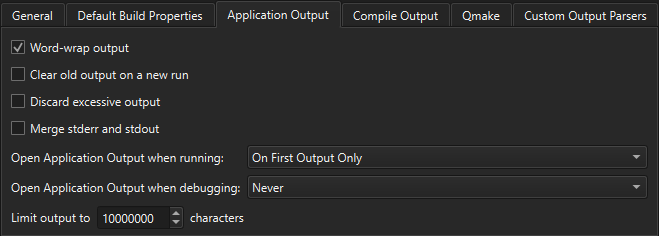
You can select whether to open Application Output on output when running or debugging applications, to clear old output on a new run, to word-wrap output, and to limit output to the specified number of lines.
See also View output.
Copyright © The Qt Company Ltd. and other contributors. Documentation contributions included herein are the copyrights of their respective owners. The documentation provided herein is licensed under the terms of the GNU Free Documentation License version 1.3 as published by the Free Software Foundation. Qt and respective logos are trademarks of The Qt Company Ltd in Finland and/or other countries worldwide. All other trademarks are property of their respective owners.
