
C
Qt Quick Ultralite timeline Example
Demonstrates how to use Timeline in Qt Quick Ultralite.
Overview
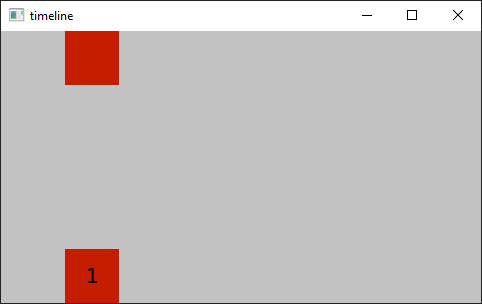
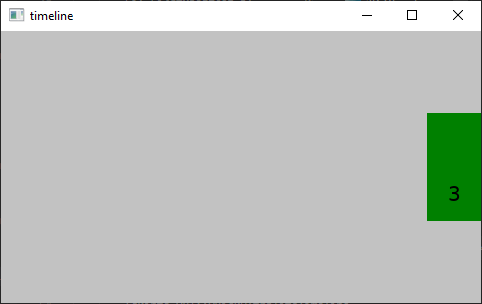
The timeline example shows how to use the Timeline type. It displays a cyclic animation of two rectangles that change colors from red to green, while moving from left to right. It then stops the color animation and moves the rectangles towards the vertical center. After a while, the animations are played in reverse and at the end of this animation the cycle is restarted.
Target platforms
Project structure
CMake project file
The CMakeLists.txt file contains a build script for the example.
QmlProject file
To use the Timeline module, one must import to the Timeline's module:
    ...
        ModuleFiles {
                MCU.qulModules: ["Timeline"]
        }
    ...
Application's UI
timeline.qml defines the application UI that is shown on the screen.
import QtQuick 2.15
import QtQuick.Timeline 1.0

Rectangle {
    id: root
    readonly property int rectSize: root.height / 5

    color: "#c2c2c2"

    Timeline {
        id: timeline1
        animations: [
            TimelineAnimation {
                id: timelineAnimation
                pingPong: true
                running: true
                from: 0
                duration: 5000
                loops: Animation.Infinite
                to: 800
            }
        ]
        startFrame: 0
        enabled: true
        endFrame: 10000

        KeyframeGroup {
            target: rectangle
            property: "x"
            Keyframe {
                id: d
                value: root.width - rectangle.width
                frame: 300
            }

            Keyframe {
                value: root.width - rectangle.width
                frame: 548
            }
        }

        KeyframeGroup {
            target: rectangle
            property: "y"

            Keyframe {
                value: 0
                frame: 300
            }

            Keyframe {
                value: root.height * 0.5 - rectangle.height
                frame: 552
            }
        }

        KeyframeGroup {
            target: rectangle
            property: "color"

            Keyframe {
                value: "red"
                frame: 0
                easing.type: Easing.InCubic
            }

            Keyframe {
                value: "green"
                frame: 552
                easing.type: Easing.OutCubic
            }
        }

        KeyframeGroup {
            target: rectangle1
            property: "x"
            Keyframe {
                value: root.width - rectangle1.width
                frame: 300
            }

            Keyframe {
                value: root.width - rectangle1.width
                frame: 548
            }
        }

        KeyframeGroup {
            target: rectangle1
            property: "y"
            Keyframe {
                value: root.height - rectangle1.height
                frame: 0
            }

            Keyframe {
                value: root.height - rectangle1.height
                frame: 300
            }

            Keyframe {
                value: root.height * 0.5
                frame: 548
            }
        }

        KeyframeGroup {
            target: rectangle1
            property: "color"

            Keyframe {
                value: "red"
                frame: 0
                easing.type: Easing.OutCubic
            }

            Keyframe {
                value: "green"
                frame: 552
                easing.type: Easing.OutCubic
            }
        }

        KeyframeGroup {
            target: text
            property: "text"

            Keyframe {
                value: "2"
                frame: 300
            }

            Keyframe {
                value: "3"
                frame: 548
            }
        }
    }

    Rectangle {
        id: rectangle
        x: 0
        y: 0
        width: rectSize
        height: rectSize
        color: "#ffffff"
    }

    Rectangle {
        id: rectangle1
        x: 0
        y: root.height - height
        width: rectSize
        height: rectSize
        color: "#ffffff"

        Text {
            id: text
            anchors.centerIn: parent
            text: "1"
        }
    }
}
Files:
See also Timeline.
Available under certain Qt licenses.
Find out more.
