
Show and hide output
Qt VS Tools shows messages in the Output pane when you start it and build applications, for example.
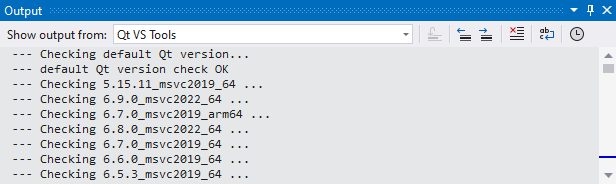
Show exceptions in Output
To show detailed information about exceptions in the Output pane:
- Go to Extensions > Qt VS Tools > Options > Qt > General > Notifications.
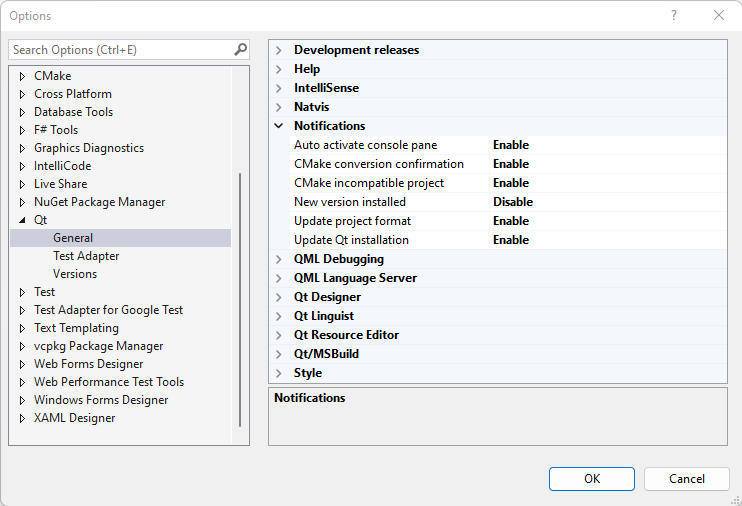
- In Show exception details in output pane, select Enable.
Hide Qt VS Tools output
To stop the Qt VS Tools output from being activated and hiding the output from Visual Studio:
- Go to Extensions > Qt VS Tools > Options > Qt > General > Notifications.
- In Auto activate console pane, select Disable.
© 2026 The Qt Company Ltd. Documentation contributions included herein are the copyrights of their respective owners. The documentation provided herein is licensed under the terms of the GNU Free Documentation License version 1.3 as published by the Free Software Foundation. Qt and respective logos are trademarks of The Qt Company Ltd in Finland and/or other countries worldwide. All other trademarks are property of their respective owners.
