
Using the AI assistant
Note the following when using the AI assistant:
- The AI assistant is aware of images (by their names only) in the project assets and is instructed to use them whenever it seems to fit. For example, if you have an image named
banana.jpgin your project assets, the AI assistant likely uses this image if you ask it to add a banana to the UI. - The AI assistant is aware of
.ui.qmlfiles and instructed to not generate code in them.
Using a prompt to generate content
To generate content with the AI assistant:
- In the AI Assistant view, select the model that you want to use from the drop-down menu.
- Enter your prompt in the prompt field. You can also use
 to attach an image to your prompt. These models can interpret the content of the image such as layout and visual hierarchy and use that understanding during generation. For example, you can attach an image of a UI layout and ask the AI assistant to build a UI based on the attached image.
Note: If you attach an image to the AI assistant, it remains in use and affects results of your next generations until you remove it.
- Select
 to run the prompt.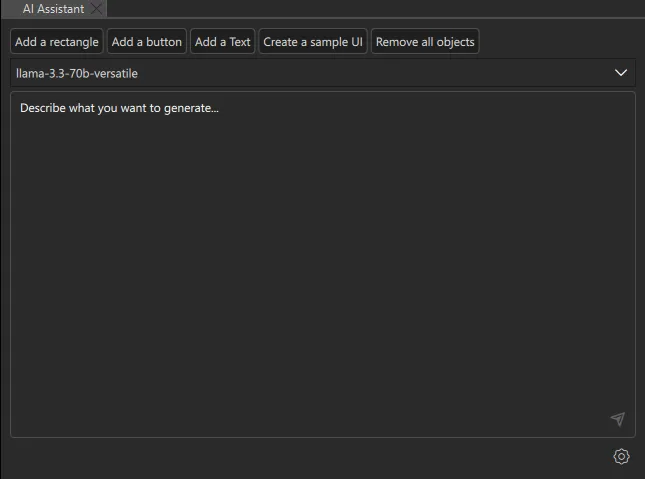
After a successful generation, rate the output with thumbs up or thumbs down. This helps improve the Qt Design Studio AI assistant.

See also AI assistant, AI models, MCP servers, Setting up the AI assistant, and Using the Figma Desktop MCP Server with Qt Design Studio.
Available under certain Qt licenses.
Find out more.
